


Blog
FANUC Board Replacement: Cost & Repair Guide

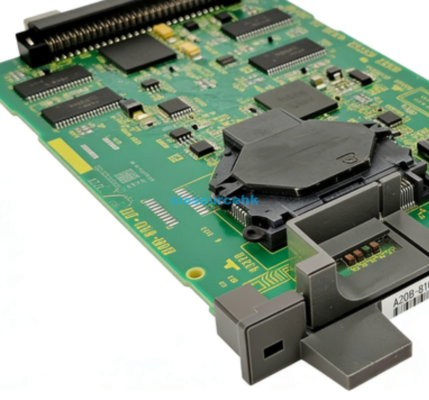
When your CNC machine stops mid-cycle, the pressure to restore production is immense. I have seen many operators struggle with system alarms that point directly to a hardware failure. A fanuc board replacement is often the most reliable way to restore your machine to full functionality. This process requires a balance of technical precision and financial planning. Understanding whether to repair or replace your circuit board can save your facility thousands of dollars.
Determining the Cost of Fanuc Board Replacement
The total investment for a fanuc board replacement varies significantly based on the board type and your machine’s age. Older legacy systems often require harder-to-find components, which can drive up prices. Typical replacement costs range from $500 to over $5,000 depending on the specific model and availability.
Comparing New vs. Refurbished Boards
New boards from the original manufacturer offer the highest reliability but come with a premium price tag. Refurbished units are a popular alternative that provide a balance of cost and performance. Choosing a high-quality refurbished board can reduce your expenses by 30% to 50% without sacrificing system stability.
Impact of Downtime on Repair Budgets
You must calculate the cost of the hardware alongside the cost of lost production. A delayed fanuc board replacement can result in missed shipping deadlines and idle labor. Investing in a ready-to-ship replacement board is often cheaper than waiting weeks for a specialized repair service.
Step-by-Step Guide: How to Replace a Fanuc Circuit Board Safely
Safety is the primary concern when handling high-voltage industrial electronics. You must follow standard electrical safety protocols to protect both the operator and the hardware. Always ensure the main power is disconnected and verify the absence of voltage before touching any internal components.
Diagnostic Procedures and Data Backup
Before removing the old hardware, you should verify the fault using the system’s diagnostic codes. It is critical to back up your SRAM and parameter data if the control system allows it. Losing machine parameters during a fanuc board replacement can lead to days of complex reconfiguration work.
Installation Best Practices for CNC Boards
Handle the new board by the edges to avoid electrostatic discharge (ESD) damage to sensitive chips. Ensure all ribbon cables and plastic connectors are seated firmly and locked in place. Proper seating of the board into the backplane is essential to prevent intermittent communication errors during high-speed machining.
Common Symptoms Requiring a Fanuc Board Repair
Not every system error requires a full fanuc board replacement, but certain symptoms are definitive. Watch for recurring parity errors, “blue screen” system crashes, or a total lack of LED activity on the board. If the machine fails to boot or displays a 900-series system alarm, the main control board is likely compromised.
Troubleshooting Power Supply Issues
Sometimes the board itself is fine, but the power supply module is failing to deliver consistent voltage. Check the status LEDs on the power unit before committing to a fanuc board replacement. Consistent voltage fluctuations can damage new boards, so you must verify the power source first.
Identifying Component-Level Wear
Look for signs of physical damage such as leaked electrolytic capacitors or scorched copper traces. These visual cues often indicate that the board has reached its end of life. Replacing a board before a total failure occurs can prevent secondary damage to the drive units or motors.
Evaluating Quality Standards for Replacement Parts
When you are ready to source a part, you must know how to judge its condition and compatibility. This is the most critical step in ensuring your machine remains operational for the long term. You should look for suppliers who provide detailed testing reports and clear warranty terms. Compatibility is determined by the specific “A20B” or “A16B” part numbers found on the PCB surface.
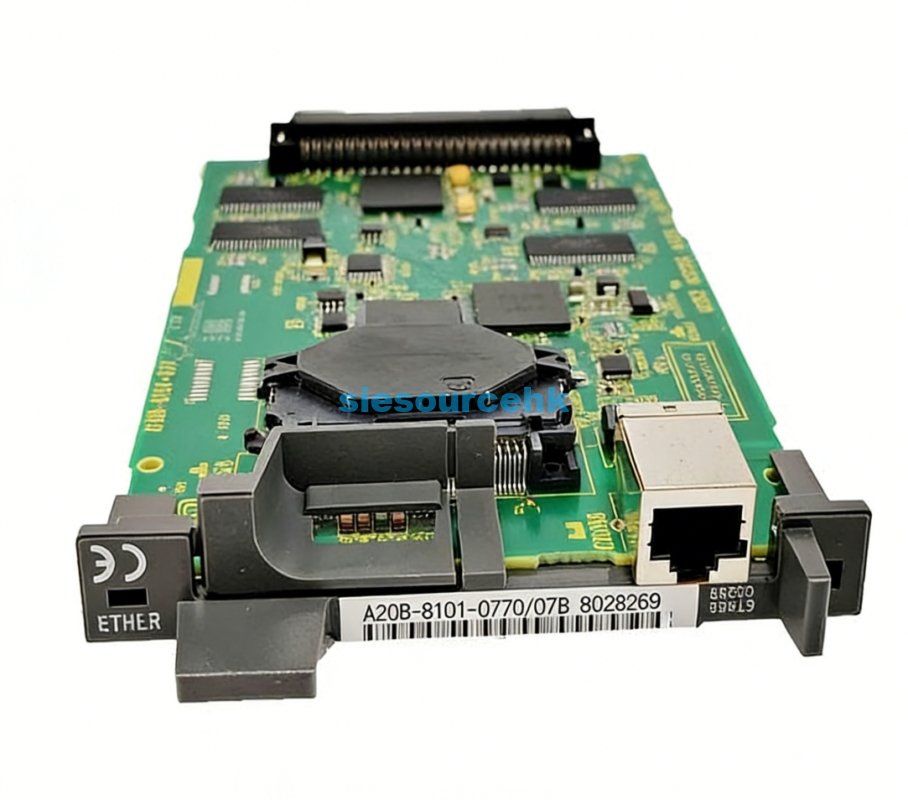
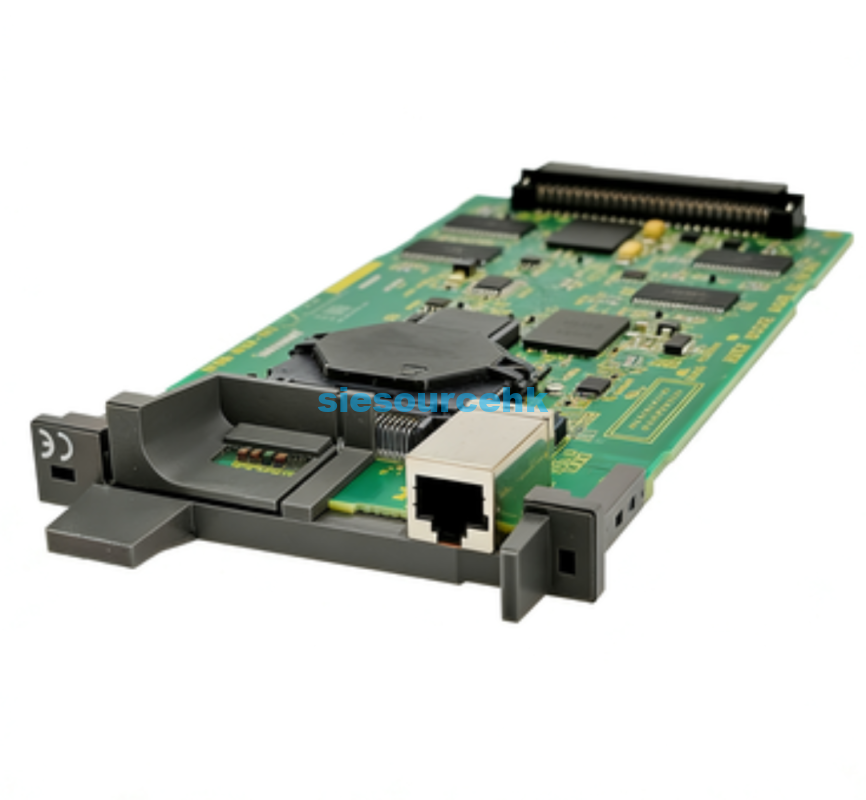
For those dealing with specific control systems, finding a verified part like the FANUC Board A20B-8101-0770 ensures that the specifications match your original hardware exactly. Choosing a part that has been professionally inspected helps you avoid the “dead on arrival” risks common in the used market. Reliability in the supply chain is just as important as the technical skill used during installation.
Conclusion
A successful fanuc board replacement is the fastest route to ending costly machine downtime. By comparing the costs of new versus refurbished parts and following strict safety protocols, you can manage the repair efficiently. The core value of a professional replacement lies in restoring machine precision while preventing future electrical failures.
FAQ
1. How long does a typical fanuc board replacement take?
The physical installation usually takes between 30 and 60 minutes for an experienced technician. However, the total time may increase if you need to restore parameters or perform a full system calibration. Most facilities can return to production within four hours if a backup of the parameters is readily available.
2. Is it better to repair my existing board or buy a replacement?
This depends on the extent of the damage and the urgency of your production schedule. Minor component failures can be repaired, but this often takes several days or weeks for shipping and service. Buying a replacement board is the superior choice when you need to minimize downtime and ensure long-term reliability.
3. Will I lose my programs during a board replacement?
If you are replacing the main CPU or memory board, you will likely lose the stored programs and parameters. This is why it is essential to use a memory card or RS-232 link to save your data before starting the work. Proactive data management is the only way to guarantee a seamless transition during a fanuc board replacement.
4. Can I perform the replacement myself without a technician?
If you have a basic understanding of CNC hardware and follow ESD safety guidelines, a self-replacement is possible. However, any mistake in cable orientation or grounding can lead to permanent hardware damage. Hiring a professional is recommended if you are unfamiliar with the specific internal layout of your Fanuc control cabinet.
Reference Sources
Occupational Safety and Health Administration (OSHA) – Electrical Safety-Related Work Practices.
Wikipedia – FANUC and CNC Control Systems Overview.
FANUC Corporation – Official Technical Support and Documentation.