


Blog
How to Identify the Right Fanuc Board for Your CNC?

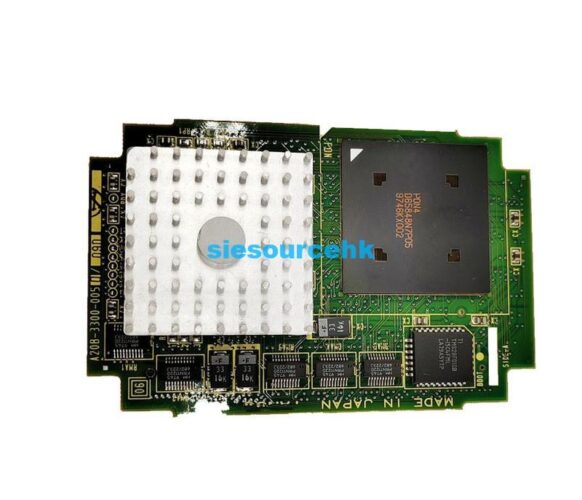
CNC machine downtime is a costly challenge for any manufacturing facility. When your system fails, the culprit is often a faulty Fanuc Board. Identifying the specific board required for your control system is the first step toward recovery. Many operators struggle with complex part numbers and version compatibility. I have spent years diagnosing industrial electronics and navigating these technical hurdles. This guide will help you pinpoint the exact Fanuc Board you need. We will focus on verifying specifications to ensure your machine returns to production quickly. Understanding these components is essential for maintaining high operational efficiency in modern workshops.
Understanding the Role of a Fanuc Circuit Board
A Fanuc Circuit Board acts as the brain or the nervous system of your CNC machine. These components manage everything from axis movement to high-speed communication between drives. According to the Institute of Electrical and Electronics Engineers (IEEE), industrial PCBs must meet rigorous standards for thermal management and signal integrity. Fanuc designs their boards to withstand harsh factory environments. However, heat, vibration, and electrical surges can eventually cause failure.
When a board fails, the entire production line often halts. You must determine if the issue lies in the main CPU or a specialized I/O module. Each Fanuc Circuit Board is engineered for a specific task within the CNC architecture. Identifying the board’s function helps you narrow down the search for a replacement. This systematic approach reduces the risk of ordering the wrong part.
How to Decode a Fanuc Control Board Part Number
Every Fanuc Control Board features a unique alphanumeric code printed on the green or yellow resin. This part number is the most reliable way to identify your hardware. Most Fanuc parts follow a standardized format, typically starting with prefixes like A20B, A16B, or A02B. For example, a common motherboard might be labeled as an A20B-8101-0770.
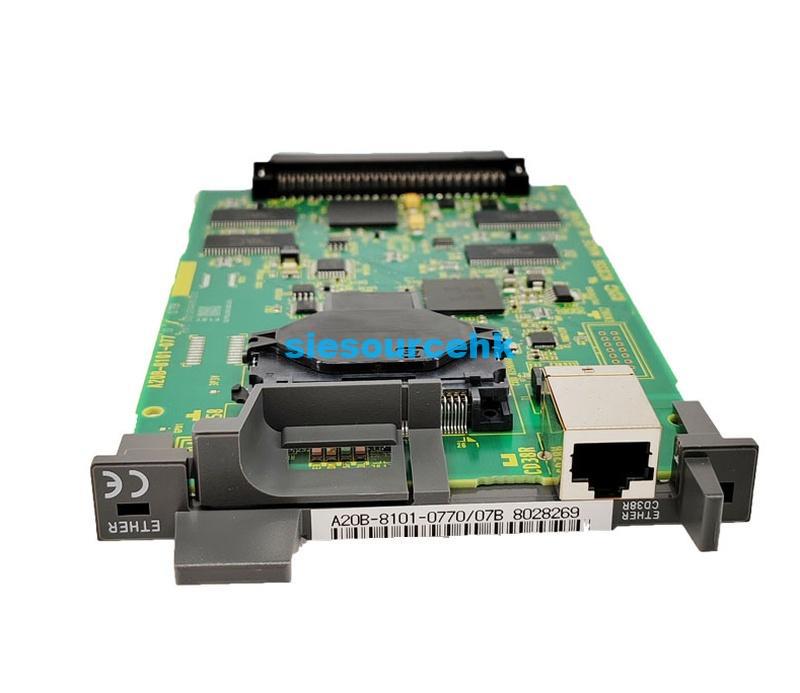
The prefix usually indicates the category of the component. The middle four digits often identify the specific series or generation of the control. Finally, the last three digits or letters represent the specific revision or configuration. According to Fanuc Corporation technical documentation, even a single digit change can signify a different memory capacity. You must match the full part number exactly to ensure the replacement works with your existing software parameters.
Key Factors When Inspecting a Fanuc PCB Board
Visual inspection is a critical skill when handling a Fanuc PCB Board. You should look for physical signs of damage like burnt traces or leaking capacitors. However, the most important “hidden” detail is the revision level. This is often marked with a small sticker or a “Rev” letter code.
A newer revision of a Fanuc PCB Board might be backward compatible with your system. Conversely, an older revision might lack the features your software requires. You should also check the “drawing number” etched into the board itself. This number confirms the physical layout and hardware version. Always record the revision code before contacting a supplier or technician. This detail prevents compatibility issues during the installation phase.
Common Types of Fanuc Boards in CNC Systems
Fanuc systems utilize a modular design, meaning several boards work in tandem. The main CPU board handles the primary logic and processing. I/O boards manage the signals between the CNC and the machine’s sensors. Power supply boards convert factory electricity into the precise voltages the electronics need.
In many high-end systems, you will find specialized fiber-optic communication boards. These allow for rapid data transfer between the control and the servo amplifiers. Understanding which category your faulty part falls into simplifies the sourcing process. If your screen is blank, the issue is likely the power supply or CPU board. If a specific axis won’t move, the problem may reside in a drive-related Fanuc Board.
Strategic Maintenance for Industrial Electronics
Preventative maintenance can extend the life of your control system significantly. The National Electrical Manufacturers Association (NEMA) emphasizes that clean, cool air is vital for industrial electronics. Dust buildup on a Fanuc Board can cause short circuits or overheating. Regularly cleaning the cooling fans and heat sinks is a simple yet effective strategy.
You should also monitor the age of the backup batteries on your boards. If these batteries fail, the board may lose its volatile memory and parameters. Replacing a battery is much cheaper than re-imaging a failed Fanuc Control Board. Implementing a regular cleaning schedule reduces the likelihood of sudden electronic failure. This proactive stance protects your capital investment and ensures consistent output.
How to Select a Reliable Replacement Source
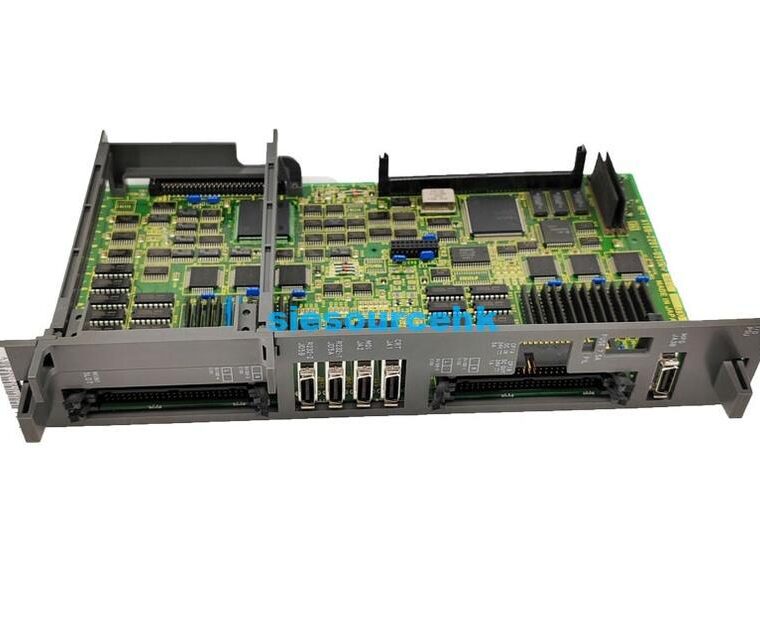
Choosing where to source your replacement parts is as important as identifying the part itself. You must decide between new, refurbished, or repaired options. A reliable supplier should provide clear technical data for every Fanuc Board they list. This includes the full part number and the condition of the hardware.
When evaluating a component like the Fanuc Board A20B-8101-0770-07B, check for high-resolution images. These images allow you to verify the layout and revision marks against your original part. A professional supplier understands the nuances of CNC systems. They will offer components that have been tested under load to ensure performance. Navigating a comprehensive Fanuc CNC systems category can help you compare different board versions. Selecting a source that prioritizes technical accuracy will save you hours of troubleshooting.
Summary
Identifying the correct Fanuc Board requires a focus on precise part numbers and revision levels. By decoding the alphanumeric strings on your Fanuc Control Board, you ensure system compatibility. Regular maintenance and careful visual inspections remain the best ways to prevent unexpected failures. Always prioritize matching the exact part number to minimize downtime and protect your CNC machinery.
| A20B-2900-0380 | A20B-2100-0220 | A20B-8200-0843 | A20B-2200-0750/02A |
| A20B-2901-0360 | A20B-2101-0012 | A20B-8101-0790 | A20B-2102-0650 |
| A20B-2900-0160 | A20B-8200-0393 | A20B-8201-0087 | A20B-8201-0085 |
| A20B-2900-0400 | A20B-8200-0843 | A20B-8201-0086 | A20B-8201-0088 |
FAQ
1. What do the prefixes A16B and A20B mean on a Fanuc Board?
These prefixes indicate the hardware category. A16B usually refers to older generation boards or specific drive units. A20B is a common prefix for modern surface-mount circuit boards used in contemporary CNC controls.
2. Is it safe to use a Fanuc Board with a different revision letter?
It depends on the specific system. Often, a higher revision letter (e.g., Rev B instead of Rev A) is backward compatible and includes bug fixes. However, using an older revision than your original may cause software errors or hardware conflicts.
3. Why did my Fanuc Circuit Board fail suddenly?
The most common causes are heat exhaustion and electrical surges. If the cabinet fans fail, the Fanuc Circuit Board can overheat and damage sensitive components. Moisture or conductive dust can also cause short circuits on the PCB surface.
4. How can I verify if a Fanuc PCB Board is genuine?
Genuine boards feature high-quality soldering, clear silk-screen printing, and official Fanuc logo markings. You should also verify the part number format. Purchasing from reputable specialized suppliers is the best way to ensure authenticity.
Reference Sources
- Fanuc Corporation: Official Technical Documentation and Support
- IEEE (Institute of Electrical and Electronics Engineers): Standards for Printed Circuit Boards
- NEMA (National Electrical Manufacturers Association): Industrial Control and Systems Standards