



Blog
How to reset Allen-Bradley drive 25C-D4P0N104?

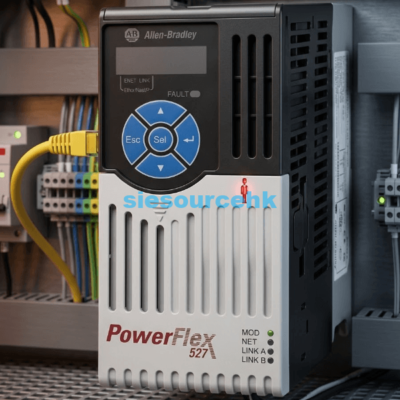
When your production line stops due to a drive fault, every second of downtime costs money. I have worked with industrial automation systems for over a decade. I understand the frustration of seeing a PowerFlex 527 unit flash an error code. Many technicians search for how to reset Allen-Bradley drive 25C-D4P0N104? to get their motors running again. Because the PowerFlex 527 is a specialized motion drive, the process differs from standard AC drives. Performing a reset on the 25C-D4P0N104 involves either clearing a temporary fault or restoring the unit to its factory defaults. This guide provides clear instructions to help you resolve these issues safely and efficiently.
Understanding the PowerFlex 527 Architecture
The 25C-D4P0N104 is part of the Allen-Bradley PowerFlex 527 series. Unlike the PowerFlex 525, this drive is designed for Integrated Motion on EtherNet/IP. This means it does not have a traditional keypad for local parameter editing. Instead, the Logix controller manages its configuration through Studio 5000 software. The primary way to interact with the drive is through the Logix Designer application.
Local Display and Fault Indicators
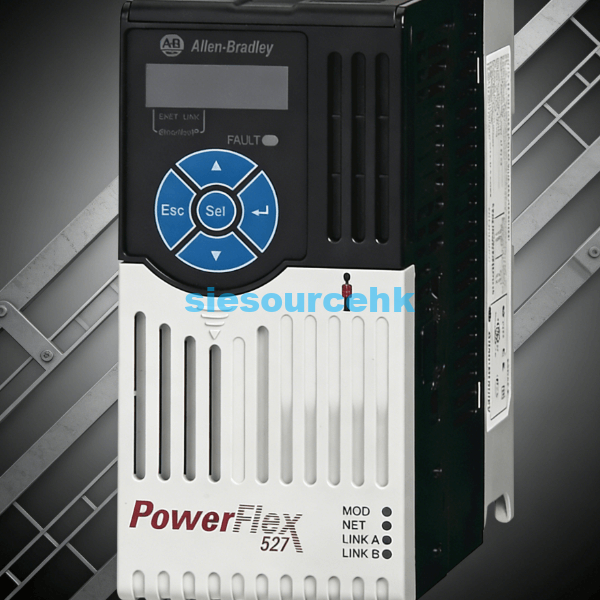
The drive features a built-in LCD display that shows status and fault codes. When a fault occurs, the status indicator will flash red. You must identify the specific code before attempting a reset. Recording the fault code is the first step in determining if a reset is appropriate.
Role of the Logix Controller
Because this drive relies on a controller, most resets happen automatically or through software. The controller constantly monitors the drive’s health over the network. If the network connection is lost, the drive will fault as a safety measure. A stable EtherNet/IP connection is required for successful remote resetting.
How to Clear Faults and Reset the Drive
If the drive is simply tripped, you may only need to clear the fault. There are three main methods for how to reset Allen-Bradley drive 25C-D4P0N104? depending on your access level. Clearing a fault does not erase your configuration but simply allows the drive to attempt a restart.
Method 1: Power Cycling the Unit
The most basic reset method is a power cycle. Turn off the main disconnect and wait for the display to go dark completely. Wait at least 30 seconds to allow the internal capacitors to discharge. Power cycling is the most reliable way to clear transient hardware errors.
Method 2: Resetting via Studio 5000 Logix Designer
Open your Studio 5000 project and navigate to the I/O Configuration tree. Right-click on the PowerFlex 527 module and select the “Reset” option. This sends a command over the network to clear the current fault. Software-based resets are preferred because they can be done from the control room.
Method 3: Using the Motion Direct Commands
You can also use Motion Direct Commands (MDC) within the software. Select the “Motion Axis Fault Reset” command (MAFR) for the specific axis. This is particularly useful for clearing motion-related errors like excessive position lag. Using MAFR ensures that both the drive and the controller’s motion group are synchronized.
Restoring Factory Defaults for the 25C-D4P0N104
Sometimes, a simple fault clear is not enough. If the configuration is corrupted, you may need to restore factory defaults. This will wipe all current settings and network parameters. Restoring factory defaults on a PowerFlex 527 is usually done through the Logix Designer software.
Resetting to Out-of-Box State
In the module properties window of Studio 5000, locate the “Module Info” or “Reset” tab. Choose the “Reset to Out-of-Box” or “Reset to Factory Defaults” command. This will revert the IP address and all internal logic to the original factory state. Only perform a factory reset if you have a backup of the project file.
Physical Reset Buttons
While the drive has few physical controls, some firmware versions allow for hardware-based resets. This usually involves holding specific buttons during the power-up sequence. However, this is rarely necessary for the PowerFlex 527 due to its software-integrated nature. Consult the official technical documentation before attempting any undocumented hardware reset sequences.
Troubleshooting Persistent Faults After a Reset
If the fault returns immediately after you reset it, there is likely a deeper issue. Simply knowing how to reset Allen-Bradley drive 25C-D4P0N104? is not enough to fix hardware failures. You must investigate the root cause to prevent recurring downtime. Frequent faulting often indicates problems with the motor, cables, or the power supply.
Checking Motor and Cable Integrity
Inspect the power cables for signs of wear or loose connections. A short circuit or ground fault will cause the drive to trip instantly upon starting. Use a megohmmeter to test the motor windings for insulation breakdown. Ensuring electrical integrity is vital for the safety of both the drive and the operator.
Network and Firmware Synchronization
The PowerFlex 527 requires the firmware version to match the profile in Studio 5000. If there is a mismatch, the drive may stay in a faulted state. Check the firmware revision in the Logix Designer properties. Updating the drive firmware to match the project requirements can resolve many communication-based faults.
Selecting the Right Component for Your System
Choosing a drive like the 25C-D4P0N104 is a strategic decision for high-precision motion control. It offers seamless integration with Kinetix systems and Allen-Bradley PLCs. I recommend this model for applications requiring high-speed synchronization over EtherNet/IP. The 25C-D4P0N104 is a robust solution for industries like packaging, food processing, and material handling.
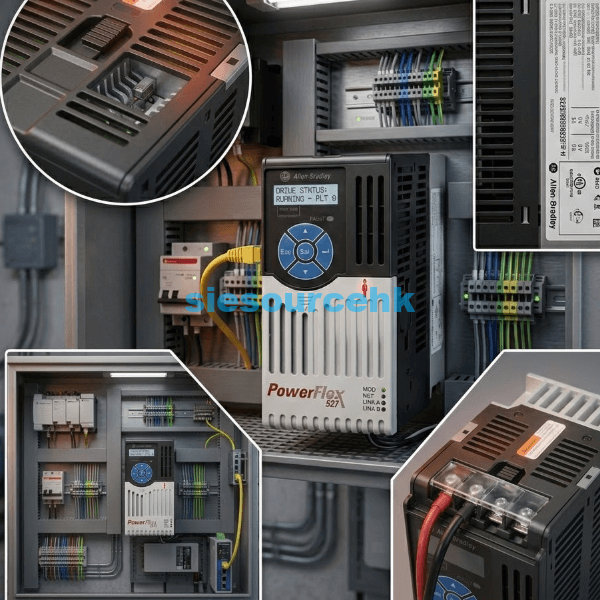
When you need a replacement or a new unit, sourcing from a reliable partner is essential. You can find technical details and availability for the Allen-Bradley drive 25C-D4P0N104 on our platform. We provide genuine hardware to ensure your systems run without interruption. Verifying the part number and electrical ratings ensures compatibility with your existing control architecture.
Conclusion
In summary, knowing how to reset Allen-Bradley drive 25C-D4P0N104? involves using Studio 5000 software or power cycling the unit. Because it is an Integrated Motion drive, the reset process is tied directly to the Logix controller. Whether you are clearing a fault or restoring factory defaults, always ensure you follow safety protocols. A successful reset restores production efficiency and maintains the long-term reliability of your industrial automation system.
| 25C-D4P0N104 | 25C-D2P3N104 | 20F11ND065JA0NNNNN | 20F11NC085AA0NNNNN | 20F11ND077JA0NNNNN |
| 25C-D2P3N104 | 25C-A8P0N114 | 20F11NC030JA0NNNNN | 20F11ND011AA0NNNNN | 20F1AND125JNONNNNN |
| 25C-A8P0N114 | 25C-D1P4N114 | 20F11NC043JA0NNNNN | 20F11ND040AA0NNNNN | 20F1AND248JNONNNNN |
| 25C-D1P4N114 | 25C-D013N114 | 20F11NC085JA0NNNNN | 20F11FD034JA0NNNNN | 20F1ANC205JN0NNNNN |
| 25C-D013N114 | 20F11NC085AA0NNNNN | 20F11NC104JA0NNNNN | 20F1AND248AN0NNNNN | 20F1AND125JN0NNNNN |
FAQ
1. Can I reset the 25C-D4P0N104 without software?
You can perform a basic reset by power cycling the drive. However, for a full factory reset or axis-specific clearing, Studio 5000 is usually required. PowerFlex 527 drives are designed to be “managed” devices that rely on a central controller.
2. What does a flashing red status light mean?
A flashing red light indicates a “Recoverable Fault.” This means you can likely use the how to reset Allen-Bradley drive 25C-D4P0N104? methods mentioned above to clear it. If the light is solid red, it indicates a non-recoverable hardware failure.
3. How do I change the IP address after a factory reset?
After a factory reset, the drive will return to BootP/DHCP mode. You can use the Rockwell BootP/DHCP Utility to assign a new IP address. Alternatively, once connected to a Logix controller, the IP can be set through the module properties.
4. Why does the drive fault immediately after a MAFR command?
This usually happens if the physical cause of the fault is still present. For example, if there is a short in the motor cable, the drive will trip again. Always diagnose the fault code on the LCD before attempting to force a reset.
5. Is there a limit to how many times I can reset the drive?
Software resets are unlimited, but frequent resets can hide serious mechanical or electrical issues. If a drive faults several times an hour, it is time for a deep inspection. Repeatedly resetting a drive against a hard fault can lead to permanent internal damage.
Reference Sources
Rockwell Automation – PowerFlex 527 Adjustable Frequency AC Drive User Manual.
National Electrical Manufacturers Association (NEMA) – Standards for Motors and Generators.