


Blog
Siemens 6ES7134-4MB02-0AB0: Module Guide

Siemens 6ES7134-4MB02-0AB0: Module Guide
Summary: The Siemens 6ES7134-4MB02-0AB0 is a SIMATIC module associated with the ET 200S distributed I/O platform. For buyers and maintenance teams searching by part number, understanding the module’s system position is as important as checking the model itself. This guide explains how Siemens distributed I/O fits into a PLC system, where the ET 200S platform sits within the wider SIMATIC range, and what to check when sourcing or replacing a 6ES7134-4MB02-0AB0.
What Is Siemens 6ES7134-4MB02-0AB0?
The Siemens 6ES7134-4MB02-0AB0 is a SIMATIC module identified by its Siemens order number. It is associated with the SIMATIC ET 200S distributed I/O system.
For an industrial automation system, an I/O module provides an interface between the control system and field-level equipment. Depending on the specific module, this can involve receiving signals from sensors or sending signals to actuators.
The ET 200S architecture allows these I/O functions to be located closer to the machine instead of bringing every field connection back to a central PLC cabinet.
This approach can be useful in machines and production lines where equipment is physically distributed across different locations.
When searching for 6ES7134-4MB02-0AB0, however, the complete order number should always be used. Siemens has many modules with similar product designations, and a visually similar component is not necessarily a suitable replacement.
Understanding the ET 200S Distributed I/O System
The SIMATIC ET 200S is a modular distributed I/O platform designed for industrial automation.
A typical installation can contain several types of components, depending on the application. These may include:
- Interface modules
- Digital input modules
- Digital output modules
- Analog I/O modules
- Technology modules
- Power-related components
- Terminal and connection components
The modular design allows an automation engineer to build an I/O station according to the machine’s signal requirements.
For example, sensors installed around a production machine can connect to distributed input modules, while outputs can be used to control valves, contactors, indicators or other field devices.
The distributed station then communicates with the main controller through the applicable communication architecture.
How Does a Siemens I/O Module Work With a PLC?
A distributed I/O module normally works as one part of a larger control system rather than operating independently.
A simplified control architecture is:
PLC → Communication Network → ET 200S Station → Field Devices
The PLC runs the control logic. The distributed I/O station provides the connection between the controller and physical devices on the machine.
A basic input process might work like this:
- A sensor detects a change in the machine.
- The sensor sends an electrical signal to an input module.
- The I/O station transfers the signal to the PLC.
- The PLC program processes the input.
- The PLC generates an output command.
- The relevant output module sends the command to the field device.
This arrangement can reduce field wiring and make distributed machines easier to organize.
The actual communication method and system configuration depend on the specific ET 200S installation and the controller being used.
Where Does 6ES7134-4MB02-0AB0 Fit in the Siemens Product Range?
Siemens has several major automation product families, and it is useful to distinguish their roles.
SIMATIC S7-1500
The SIMATIC S7-1500 is a modern PLC platform for industrial automation applications. It provides CPUs and expansion options for applications requiring different levels of processing, communication and technology functionality.
SIMATIC S7-1200
The SIMATIC S7-1200 is a compact PLC family commonly used for smaller automation systems. Signal boards and communication modules can be added according to the requirements of the application.
SIMATIC ET 200
The SIMATIC ET 200 range focuses on distributed I/O. Different ET 200 generations and configurations are available, including platforms such as ET 200SP and ET 200MP.
The ET 200S belongs to an earlier generation of this distributed I/O portfolio and can still be encountered in existing industrial equipment.
SIMATIC S7-300/400
The S7-300 and S7-400 families have been widely installed in industrial control systems. As a result, maintenance teams may still need specific modules for existing machines even when newer PLC platforms are available.
This makes accurate part-number identification particularly important when sourcing replacement equipment.
SINAMICS
SINAMICS is Siemens’ drive product family and serves a different function from SIMATIC I/O modules. Drive components can control motors and form part of the same overall automation system.
SIRIUS
SIRIUS products are used for industrial switching, control and protection applications. Contactors, relays and operator-control components can work alongside PLC and I/O equipment within a machine control system.
Why Is the Exact Siemens Order Number Important?
When replacing an industrial automation module, using only the product family name may not be enough.
For example, a search for “Siemens ET 200S module” can return a large number of products with different functions and specifications.
The more precise search:
6ES7134-4MB02-0AB0
helps narrow the search to the specific Siemens order number.
Before purchasing, it is worth comparing the number printed on the existing module with the supplier’s listing.
Other information may also be relevant, including:
- Product version
- Electrical specifications
- Module function
- Connection arrangement
- Compatibility with the existing ET 200S configuration
- Product condition
- Availability
This is especially important when maintaining an older automation system.
What Should You Check Before Buying 6ES7134-4MB02-0AB0?
1. Confirm the Full Part Number
First, check that the existing module and the replacement listing both show:
6ES7134-4MB02-0AB0
Avoid selecting a component simply because the first part of the order number looks similar.
2. Check the Existing ET 200S Configuration
The module needs to work with the existing system architecture.
Check the interface equipment, neighboring modules and connection arrangement before ordering a replacement.
3. Compare Technical Specifications
The electrical and functional characteristics should match the requirements of the machine.
If the module is replacing a failed component, comparing the original documentation with the replacement specifications can help prevent compatibility problems.
4. Check Product Condition
Older Siemens automation components can be available as new old stock, used or refurbished equipment.
If purchasing used or refurbished equipment, ask the supplier about its physical condition and whether the unit has been tested.
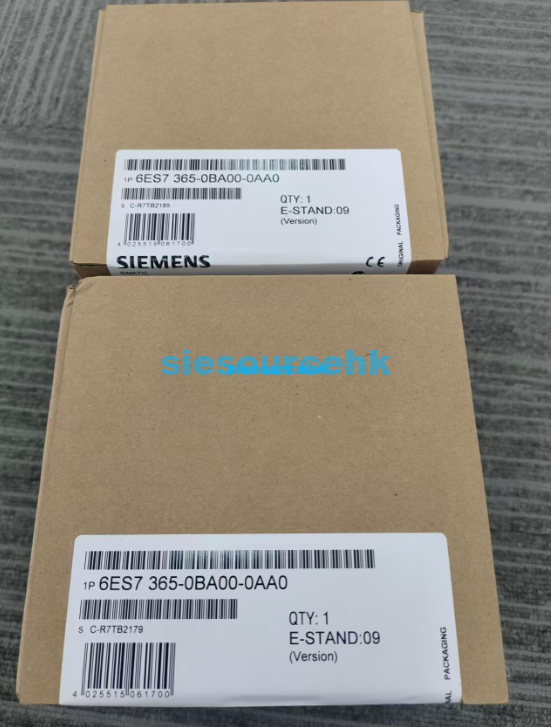
Actual photos of the product can also help confirm the label and order number.
5. Consider Availability
For older automation platforms, availability can sometimes be a bigger issue than selecting between several current models.
If a machine has been running for years, maintaining a compatible spare-part inventory may help reduce downtime when a module eventually needs replacement.
Other Siemens Modules You May Encounter
The broader Siemens automation portfolio includes many specialized modules.
For example, Siemens technology modules can handle functions such as high-speed counting, positioning and signal processing. Older S7-300 systems also include specialized function modules for applications such as counting, positioning and closed-loop control.
The ET 200 family includes distributed I/O modules for different signal types and applications.
Meanwhile, SINAMICS components are focused on motor and drive control, while SIRIUS products cover industrial switching and protection.
Understanding these differences helps prevent a common purchasing mistake: selecting a Siemens component because it belongs to the same general automation ecosystem without checking whether it performs the required function.
When Do You Need a Siemens ET 200S Replacement Module?
A replacement module may be needed when an existing automation system experiences:
- Module failure
- Signal problems
- Physical damage
- Maintenance-related replacement
- Spare-part requirements
- Expansion or modification of an existing machine
For an established production line, replacing the individual module can sometimes be a more practical maintenance solution than redesigning the complete PLC and I/O architecture.
The decision depends on the condition of the existing system, availability of compatible parts and the long-term plans for the machine.
Conclusion
The Siemens 6ES7134-4MB02-0AB0 should be evaluated in the context of the SIMATIC ET 200S distributed I/O system. Rather than looking only at the Siemens brand or ET 200S family name, buyers should confirm the exact order number and compare the module with the requirements of the existing installation.
For replacement and spare-part sourcing, the key checks are straightforward: verify the complete part number, confirm system compatibility, compare technical specifications, check product condition and consider availability.
If you are specifically sourcing Siemens 6ES7134-4MB02-0AB0, you can view the product information here:
Siemens Module 6ES7134-4MB02-0AB0
If you are comparing different Siemens ET 200S modules, it can also be useful to review other modules designed for distributed I/O applications before selecting a replacement.Siemens Module 6ES7195-7HB00-0XA0