


Blog
Schneider Modicon M580 CPU Replacement: Compatibility Checklist

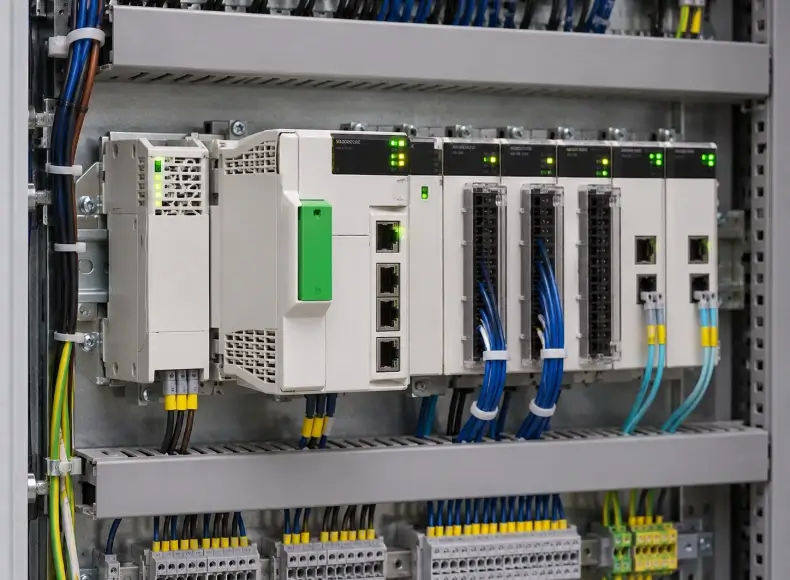
Schneider M580 CPU replacement requires more than matching the processor’s model number. Before replacing a Modicon M580 controller, engineers must verify the complete CPU reference, firmware version, EcoStruxure Control Expert project, backplane compatibility, I/O architecture, and Ethernet configuration. Hot Standby and Safety controllers also require additional system-specific checks. An identical replacement CPU may simplify the work, but it does not guarantee that the existing application will restart without configuration, restoration, or commissioning procedures.
For maintenance teams, the most important preparation is to preserve a verified engineering project and document the original controller configuration before removing any hardware.
M580 CPU Replacement: What Must Match?
The Modicon M580 platform includes standalone processors, Hot Standby controllers, and Safety processors. Each serves a different control architecture, so replacement requirements depend on the installed system.
The following checklist identifies the main items that must be reviewed before purchasing a replacement.
| Compatibility Item | What to Check | Why It Matters |
|---|---|---|
| Processor reference | Complete BMEP or BMEH part number, including suffixes | Different CPUs can have different processing, I/O, and system capabilities. |
| Firmware | Installed version and supported target version | Firmware can affect application and software compatibility. |
| Engineering software | EcoStruxure Control Expert version and project configuration | The replacement must support the application and configured hardware. |
| Backplane and power supply | Rack reference, mounting arrangement, and supported power configuration | The CPU must operate in the installed hardware architecture. |
| Ethernet and I/O | IP addressing, remote I/O, distributed devices, and communication services | Incorrect configuration can interrupt controller-to-device communication. |
| Application backup | Verified project archive and supported memory-card backup | The replacement must recover the intended control application. |
| Redundancy or safety | Hot Standby pairing or approved Safety architecture | These systems require additional procedures and validation. |
A matching front-panel appearance or similar BME model number is not sufficient evidence of interchangeability.
Step 1: Identify the Existing M580 CPU
Begin with the complete reference printed on the installed processor. Common M580 references include BMEP583040 and BMEP584040 for standalone applications, BMEH582040 for Hot Standby architectures, and BMEP584040S for safety-related applications.
Record the original hardware reference, product version, firmware information, installed rack, and connected network components. Photograph the device label and the control cabinet before making changes.
Standard M580 processors
The BMEP583040 is a standalone M580 processor used in industrial control systems with local, remote, and distributed I/O requirements. Siesource lists the Schneider BMEP583040 PLC processor as an individual product reference.
The BMEP584040 M580 CPU is another standalone processor option. However, moving from BMEP583040 to BMEP584040 should be treated as a processor change requiring configuration review, not as an automatic drop-in replacement.
Hot Standby and Safety processors
BMEH controllers belong to Hot Standby configurations, while M580 Safety processors use an architecture intended for approved safety applications.
For example, the BMEH582040 and BMEP584040S have different system roles from a standard standalone BMEP processor. They must be evaluated under their respective redundancy or functional safety requirements.
Do not substitute a standard M580 processor for a safety controller or assume that a standalone CPU can operate as a Hot Standby partner.

Step 2: Check Firmware and Control Expert Compatibility
Firmware compatibility is one of the most important considerations when replacing an M580 CPU. A replacement unit may arrive with a different firmware version from the original controller.
Schneider Electric explains that engineers can identify the installed firmware through EcoStruxure Control Expert. When the device is accessible, the processor identification information provides its firmware release.
See the official Schneider Electric M580 firmware identification instructions for the supported methods.
Why the firmware version matters
A controller with different firmware may require project verification, software compatibility checks, or a documented maintenance procedure before the application can be restored.
This is particularly important when replacing older units with controllers using newer firmware.
Schneider’s July 2026 firmware installation guide explains that firmware version 4.x introduced a new boot loader. Certain upgrade and downgrade paths between earlier firmware and version 4.x therefore require specific procedures.
Engineers should consult the Modicon M580 Controller Firmware Installation Guide before planning a firmware change.
Important: Do not perform a firmware upgrade merely because the replacement CPU has a newer version available. First confirm that the target firmware is appropriate for the existing application, hardware, and engineering environment.
Step 3: Preserve the Control Expert Project and Application Backup
Replacing a CPU without a recoverable application can turn a hardware repair into a prolonged commissioning project.
Before removing the original processor, confirm that the latest approved project is available and can be opened in the required Control Expert environment.
The maintenance record should include:
- The approved Control Expert project and software version.
- Processor and I/O configuration.
- Network and device settings.
- Relevant application parameters and retained data requirements.
- Application protection or access credentials managed by authorized personnel.
- Any memory-card or controller backup arrangements.
Can an M580 memory card restore the application?
Schneider Electric confirms that an appropriate M580 SD card can store an application backup for recovery after a hardware problem. Under supported conditions, the card can be used to restore the application on a replacement CPU.
However, this does not mean that every operating value or runtime state is preserved. Schneider specifically notes that state RAM is not retained through this backup method.
Refer to the official Schneider M580 SD card application backup explanation.
Before transferring a memory card, confirm that the CPU, card, firmware, and application configuration are compatible. Treat the card as part of a verified recovery procedure rather than assuming it will make any replacement processor operational.
Step 4: Verify Backplane, Power Supply and I/O Architecture
An M580 processor must be compatible with the installed rack and its supporting equipment. The system may contain Ethernet/X-bus backplanes, remote I/O adapters, communication modules, and specialized I/O devices.
For example, BMEXBP0400, BMEXBP0800, and BMEXBP1200 are Ethernet/X-bus backplane references with different slot capacities.
Before replacing the CPU, check the installed backplane reference, available module positions, and applicable processor and power-supply requirements.
Also record the remote I/O and distributed equipment configuration. Processor capability and system architecture determine how many I/O devices and network connections the application can support.
If the replacement has different resource limits, the complete project must be evaluated before commissioning.
Step 5: Check Ethernet Configuration and Communication Services
Replacing the CPU can affect industrial Ethernet communication if the application, network settings, or controller identity are not restored correctly.
An M580 installation may communicate with remote I/O drops, distributed devices, operator interfaces, SCADA systems, and other controllers.
Review the following before replacement:
- Configured IP addresses and network parameters.
- Ethernet ports and network connections in use.
- Remote I/O and distributed I/O device configurations.
- Communication modules and their engineering settings.
- Controller identification and communication diagnostics.
- Any cybersecurity settings or protected engineering connections relevant to the application.
Do not assume that a newly installed CPU will automatically regain every communication setting.
After the application is restored, verify communication with the relevant devices before allowing the machine or process to return to normal operation.
Step 6: Apply Additional Checks for Hot Standby Systems
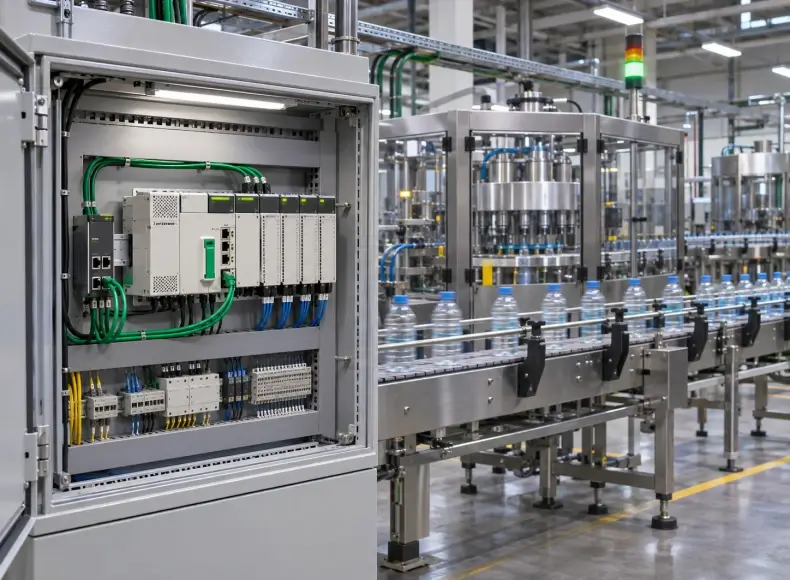
Replacing a processor in an M580 Hot Standby system is different from replacing a standalone controller.
Hot Standby applications depend on a supported pair of processors, synchronization connections, compatible firmware, and the correct application configuration.
The Schneider BMEH582040 Hot Standby processor is an example of hardware used in this type of architecture.
Schneider’s Hot Standby system planning documentation describes replacement procedures that address the standby controller before the primary controller in the documented maintenance scenario.
However, the correct sequence depends on the installed system and the maintenance procedure being followed. Redundancy can be lost during hardware replacement, so qualified personnel must assess the operational risk and arrange the necessary maintenance conditions.
Firmware differences between redundant processors may also affect system operation. Do not treat Hot Standby CPU replacement as a routine standalone swap.
Step 7: Follow the Approved Procedure for M580 Safety CPUs
Safety-related M580 systems require additional precautions because the controller forms part of a functional safety architecture.
For example, the Schneider BMEP584040S Safety processor must be selected and maintained according to the approved safety system configuration.
The safety application may depend on additional components, including the appropriate safety coprocessor and supported safety I/O equipment.
After a replacement, authorized personnel must perform the required verification and validation before restoring the safety-related function to service.
The official Modicon M580 Safety User Guide describes these safety engineering and maintenance requirements.
A processor being described as a safety model does not establish that the complete installation meets the required safety integrity level. The system design, configuration, and validation remain essential.
When Is an M580 CPU Replacement Considered Compatible?
The following examples illustrate three common situations.
| Replacement Scenario | Compatibility Assessment | Recommended Action |
|---|---|---|
| BMEP583040 to the same reference | Potentially simpler, but firmware and project details still matter | Confirm product version, application restoration, and network configuration. |
| BMEP583040 to BMEP584040 | Different standalone processor reference | Verify project configuration, memory, I/O limits, firmware, and supported hardware. |
| BMEP processor to BMEH processor | Different control architecture | Do not treat as a direct replacement; evaluate the required Hot Standby system. |
| Standard CPU to BMEP584040S | Safety-specific system requirements | Follow approved safety architecture and validation procedures. |
This table is a selection guide, not an approved manufacturer cross-reference. Any proposed substitute must be checked against the exact installation and current Schneider Electric documentation.
Post-Replacement Commissioning Checklist
After installing the correctly selected processor, the maintenance team must verify that the complete system operates as intended.
- Confirm the replacement CPU reference, hardware version, and firmware.
- Verify the rack, power supply, and installed module configuration.
- Restore the approved project using the appropriate supported procedure.
- Check CPU status and relevant diagnostic indications.
- Verify Ethernet communication and connected I/O devices.
- Confirm the required operating states, interlocks, and controller behavior.
- Perform any Hot Standby or safety-specific tests required by the application.
- Record the final configuration and obtain authorization before returning the system to normal operation.
Commissioning should follow the approved plant procedures. The CPU should not be returned to service solely because it powers on or communicates with the engineering workstation.
Frequently Asked Questions
Can I replace an M580 CPU with the same model number?
An identical model may simplify replacement, but engineers must still confirm the hardware version, firmware, Control Expert application, rack configuration, and communication settings before returning the system to service.
Can BMEP584040 replace BMEP583040 directly?
Not automatically. The two standalone processors have different model references. Confirm firmware, application resources, I/O architecture, backplane compatibility, and network configuration before considering the change.
Does replacing an M580 CPU require reprogramming?
The replacement must contain the correct approved application. Depending on the system, restoration may use a supported memory-card backup or an engineering project transferred through Control Expert. Compatibility and commissioning checks are still required.
Can I use a standard M580 processor in a Hot Standby or Safety system?
Not as a direct substitute. Hot Standby and Safety applications require their respective supported controller architectures, associated components, firmware, configuration, and validation procedures.
What information should I provide when ordering an M580 replacement CPU?
Provide the complete CPU reference, hardware and firmware information, Control Expert version, rack reference, system architecture, required quantity, product condition requirements, and delivery destination.
Conclusion
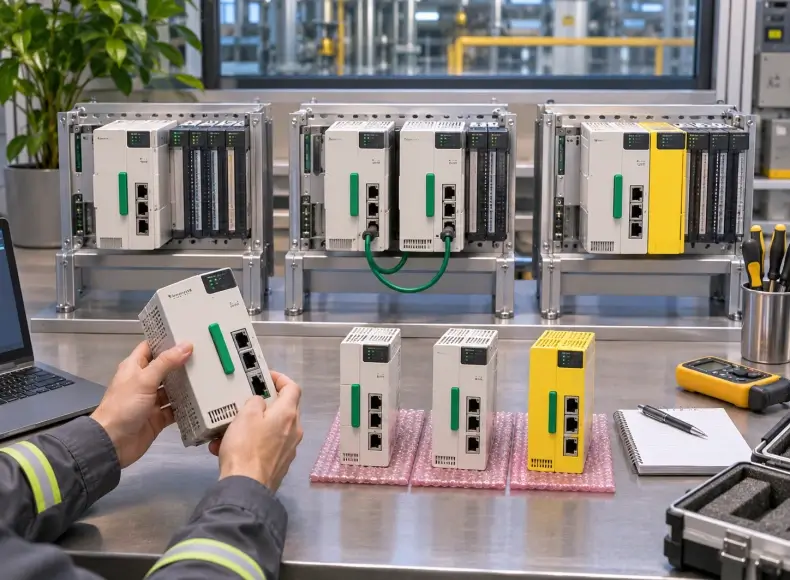
Schneider Modicon M580 CPU replacement requires coordinated checks across hardware, firmware, software, application backup, and industrial communication. The original model number identifies the starting point, but successful replacement depends on restoring the complete controller configuration.
Standard, Hot Standby, and Safety processors should be evaluated according to their different system requirements. Before ordering a replacement, collect the original CPU information and preserve the approved engineering project.
Need a replacement Schneider M580 CPU? Send the complete processor model, firmware details, required quantity, and existing system configuration to Siesource Industrial for an M580 processor enquiry. Include any Hot Standby or Safety requirements so the requested component can be identified accurately.