



Blog
Allen-Bradley 20-750-20COMM: PowerFlex 750 Communication Carrier Guide

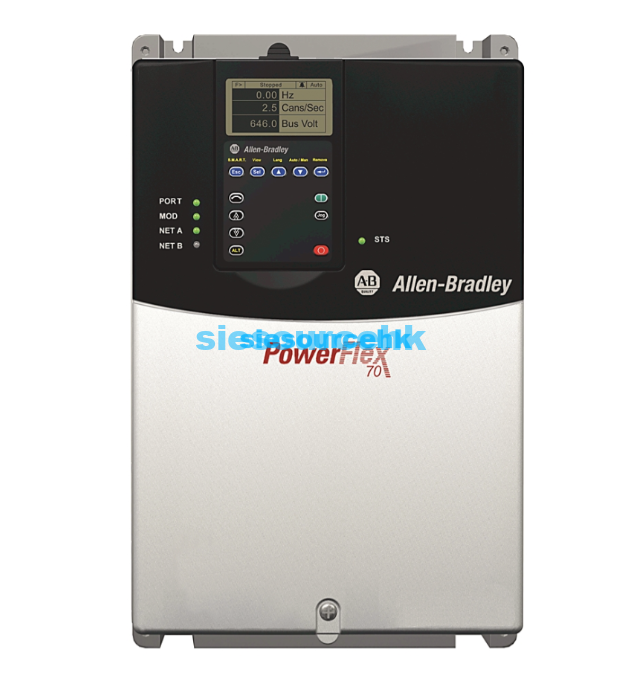
What Is the Allen-Bradley 20-750-20COMM?
The Allen-Bradley 20-750-20COMM is a PowerFlex 750-Series communication carrier card from Rockwell Automation. It is designed to allow compatible 20-COMM- communication adapters* to be used with PowerFlex 750-Series drives.
Unlike a complete variable frequency drive, the 20-750-20COMM is a communication carrier/accessory rather than the drive itself. It provides the physical interface needed to install supported legacy 20-COMM communication adapters in compatible PowerFlex 750-Series drive configurations.
Rockwell Automation specifies the standard 20-750-20COMM for PowerFlex 750-Series Frame 2 and larger drives, while the 20-750-20COMM-F1 is the version intended for Frame 1 drives.
This distinction is important when sourcing the part. If you are searching for an Allen-Bradley 20-750-20COMM, you are generally looking for a carrier kit to support a compatible communication adapter—not a standalone inverter.
20-750-20COMM Specifications
The main specifications of the Allen-Bradley 20-750-20COMM are summarized below:
| Specification | Details |
|---|---|
| Brand | Allen-Bradley |
| Manufacturer | Rockwell Automation |
| Catalog Number | 20-750-20COMM |
| Product Family | PowerFlex 750-Series |
| Product Type | Communication Carrier Kit |
| Supported Adapter Type | 20-COMM-* |
| Drive Frame | Frame 2 and higher |
| Main Function | Enables compatible 20-COMM adapters on PowerFlex 750-Series drives |
| UPC | 820919928673 |
| Lifecycle Status | Active |
Rockwell Automation currently lists 20-750-20COMM as an active product and identifies it as a PowerFlex 750 20COMM Carrier Kit. Its official product information also lists a standard warranty duration of one year and an estimated lead time of five days, although availability and lead time can vary by location.
What Does the 20-750-20COMM Do?
The main purpose of the 20-750-20COMM is to provide a carrier interface for compatible communication adapters.
PowerFlex 750-Series drives can use different communication options depending on the control system and network architecture. The 20-COMM family includes communication adapters for protocols such as EtherNet/IP, ControlNet, DeviceNet, Modbus/TCP, and other supported networks.
The carrier card allows an appropriate 20-COMM- adapter* to be installed in the PowerFlex 750-Series drive.
In simple terms:
PowerFlex 750 drive → 20-750-20COMM carrier → compatible 20-COMM adapter → industrial network
This architecture is particularly useful for installations that need to integrate existing communication technology with PowerFlex 750-Series drives.
20-750-20COMM vs. 20-750-20COMM-F1
One of the most important selection considerations is the drive frame size.
| Model | Compatible Drive Frame |
|---|---|
| 20-750-20COMM | PowerFlex 750-Series Frame 2 and higher |
| 20-750-20COMM-F1 | PowerFlex 750-Series Frame 1 |
Rockwell Automation’s technical documentation specifically identifies the standard 20-750-20COMM as the communication carrier card for Frame 2 or higher, while the 20-750-20COMM-F1 is intended for Frame 1 drives.
Therefore, these two catalog numbers should not be treated as interchangeable simply because they belong to the same product family.
Before ordering, confirm the frame size of the PowerFlex drive.
Compatible PowerFlex 750-Series Drives
The 20-750-20COMM is associated with the PowerFlex 750-Series platform, including applications involving PowerFlex 753 and PowerFlex 755 drives.
Rockwell’s migration documentation notes that the 20-750-20COMM is recommended for Frames 2 and larger, while installation in particular ports can affect access to adjacent option-module locations. For example, Rockwell recommends installing the carrier in Port 6 on Frames 2 and larger in the documented configuration.
This is important when the drive already contains other option modules.
A system designer should therefore consider:
- Drive model
- Drive frame size
- Available option slots
- Communication adapter type
- Network protocol
- Existing I/O modules
- Cable routing
- Adjacent option-module access
What 20-COMM Adapters Can Be Used With 20-750-20COMM?
The carrier is designed to support compatible 20-COMM- communication adapters*.
Depending on the specific adapter and drive configuration, the 20-COMM family can provide different industrial communication functions.
Examples include:
- 20-COMM-E – EtherNet/IP
- 20-COMM-C – ControlNet
- 20-COMM-Q – ControlNet fiber
- 20-COMM-D – DeviceNet
- 20-COMM-M – Modbus/TCP
- 20-COMM-S – RS-485 DF1
- 20-COMM-P – PROFIBUS DP
Rockwell’s PowerFlex 750 technical documentation provides compatibility information for legacy 20-COMM adapters and identifies the 20-750-20COMM as the carrier required for supported configurations.
However, compatibility should always be checked for the specific adapter, drive model, firmware, and application rather than assuming that every 20-COMM adapter will work in every configuration.
20-750-20COMM Installation Considerations
The 20-750-20COMM is installed within the PowerFlex 750-Series drive architecture and is used with a compatible 20-COMM communication adapter.
Rockwell Automation’s installation instructions distinguish between the Frame 1 carrier, 20-750-20COMM-F1, and the standard 20-750-20COMM used with Frame 2 and higher drives.
When installing or replacing the carrier, consider the following:
1. Confirm the Drive Frame
Check whether the PowerFlex drive is Frame 1 or Frame 2 and larger.
For Frame 2 and larger applications, the standard 20-750-20COMM is the relevant carrier.
2. Check the Communication Adapter
The carrier works with compatible 20-COMM-* adapters. Confirm that the adapter matches the required network protocol.
3. Check Option-Module Locations
Other option modules may occupy nearby ports. Rockwell’s documentation provides recommended installation positions for different frame configurations.
4. Check the Drive Documentation
Always use the applicable PowerFlex 750-Series installation and technical documentation for the specific drive configuration.
Common Applications
The 20-750-20COMM is not application-specific by itself. Its role is to provide communication connectivity for PowerFlex 750-Series drives.
It can therefore be found in automation systems involving:
Industrial Fans and Pumps
PowerFlex drives are commonly used to control variable-speed motors in ventilation, pumping, and process systems. A communication adapter can connect the drive to the plant control network.
Conveyors
Drive status, speed commands, and diagnostic information can be exchanged with a PLC through an appropriate communication network.
Packaging Equipment
Communication between drives and control systems can help coordinate motor operation and machine sequences.
Material Handling
PowerFlex drive systems can be integrated into larger automation architectures using compatible communication technologies.
Process Equipment
Networked drive communication can provide centralized monitoring and control in industrial process applications.
The exact application depends on the PowerFlex drive, motor, communication adapter, and control architecture—not the carrier card alone.
Is Allen-Bradley 20-750-20COMM Discontinued?
No.
Rockwell Automation currently lists 20-750-20COMM as an Active product. The official product page describes it as the PowerFlex 750 20COMM Carrier Kit and provides current product documentation.
This makes the 20-750-20COMM different from many older Allen-Bradley components that are now primarily available through surplus or aftermarket channels.
For procurement teams, it is still important to verify:
- Exact catalog number
- Product revision
- Product condition
- Compatibility with the PowerFlex drive
- Compatible communication adapter
- Required frame size
- Supplier warranty
- Delivery time
How to Choose the Right 20-750-20COMM
Before purchasing an Allen-Bradley 20-750-20COMM, use the following checklist.
Step 1: Identify the PowerFlex Drive
Confirm whether your system uses a PowerFlex 753, PowerFlex 755, or another compatible PowerFlex 750-Series drive.
Step 2: Identify the Drive Frame
If the drive is Frame 2 or larger, the standard 20-750-20COMM may be the correct carrier.
For Frame 1, check the 20-750-20COMM-F1 instead.
Step 3: Identify the Network
Determine whether the system requires EtherNet/IP, ControlNet, DeviceNet, Modbus/TCP, PROFIBUS, or another supported communication protocol.
Step 4: Select the 20-COMM Adapter
The carrier and communication adapter work together. Therefore, selecting the carrier alone is not enough to define the drive’s network interface.
Step 5: Check the Existing Installation
For replacement projects, compare the existing carrier, communication adapter, drive frame, and option-module configuration before ordering.
20-750-20COMM Frequently Asked Questions
What is Allen-Bradley 20-750-20COMM?
The Allen-Bradley 20-750-20COMM is a PowerFlex 750-Series communication carrier kit used to install compatible 20-COMM-* communication adapters in PowerFlex 750-Series drives.
Is 20-750-20COMM an inverter?
Not by itself. The 20-750-20COMM is a communication carrier, not a complete inverter or variable frequency drive. It is an accessory used with PowerFlex 750-Series drives.
What drives use 20-750-20COMM?
The standard 20-750-20COMM is intended for PowerFlex 750-Series Frame 2 and larger drives. The Frame 1 version is designated 20-750-20COMM-F1.
What is the difference between 20-750-20COMM and 20-750-20COMM-F1?
The main difference is the supported drive frame. 20-750-20COMM is for Frame 2 and larger PowerFlex 750-Series drives, while 20-750-20COMM-F1 is for Frame 1.
Does 20-750-20COMM provide EtherNet/IP?
The carrier itself is not the EtherNet/IP communication adapter. A compatible 20-COMM-E EtherNet/IP adapter can be used with the appropriate carrier and PowerFlex 750 configuration.
Is 20-750-20COMM still available?
Rockwell Automation currently lists the 20-750-20COMM as Active.
Where to Buy Allen-Bradley 20-750-20COMM
If you are sourcing the Allen-Bradley 20-750-20COMM, verify the complete part number and confirm that it matches your PowerFlex 750-Series drive configuration.
For replacement projects, it is particularly important to provide the supplier with the existing drive model, frame size, communication adapter, and required network protocol.
You can view the product information and request pricing from SIESource here:
Allen-Bradley Inverter 20-750-20COMM Product Page
For additional Allen-Bradley and industrial automation products, visit: