


Blog
Recovering from Siemens Bus Connector Data Faults


In modern industrial automation, the reliability of a PROFIBUS or MPI network heavily relies on the integrity of physical interconnections. A Siemens Bus Connector serves as the critical bridge between the PLC CPU and decentralized peripherals. When data faults occur, they manifest as intermittent signal loss, flickering diagnostic LEDs, or total system shutdowns. These interruptions often lead to costly production downtime and equipment stress.
Successful recovery requires a systematic approach to identifying electrical noise and mechanical failure. Technicians must differentiate between configuration errors and physical hardware degradation. By understanding the underlying physics of RS-485 communication, operators can implement robust corrective measures. This guide focuses on restoring high-speed data integrity within Siemens-based architectures.
Maintaining stable communication involves more than just plugging in cables. It requires precise termination and high-quality shielding to combat electromagnetic interference. As networks expand, the risk of impedance mismatch increases significantly. Recovering from these faults involves validating every node to ensure consistent signal strength across the entire bus segment.
How to Diagnose Common Siemens Bus Connector Communication Issues?
The first step in recovery is interpreting the diagnostic LEDs on the S7-300 or S7-1500 CPU. A red “BUSF” light typically indicates a parity error or a missing station. You should use a digital multimeter to check the resistance between Pin 3 and Pin 8. A healthy, terminated segment should measure approximately 110 to 220 Ohms depending on the number of active terminators.
Signal Integrity and Resistance Testing
If the resistance deviates significantly, the Siemens Bus Connector internal termination switch might be faulty. Many technicians overlook the physical alignment of the longitudinal shielding. Ensure the braided wire makes direct contact with the metal clamp inside the connector housing. Poor grounding is responsible for nearly 40% of intermittent data packet loss in industrial environments.
Advanced troubleshooting involves using an oscilloscope to visualize the square wave signals. Distorted waveforms with excessive “ringing” suggest reflection issues caused by incorrect termination. You should also verify the baud rate settings in TIA Portal or STEP 7. Discrepancies between the software configuration and physical cable lengths can trigger immediate timeout errors.
| Diagnostic Step | Tool Required | Expected Value/Outcome |
| Resistance Testing | Multimeter | 110Ω – 220Ω (Terminated) |
| Visual Inspection | Magnifying Glass | No frayed wires or bent pins |
| Signal Analysis | Oscilloscope | Clean square waves without spikes |
| Continuity Check | Cable Tester | Direct path between matching pins |
Addressing Physical Faults in Siemens Bus Connector Hardware
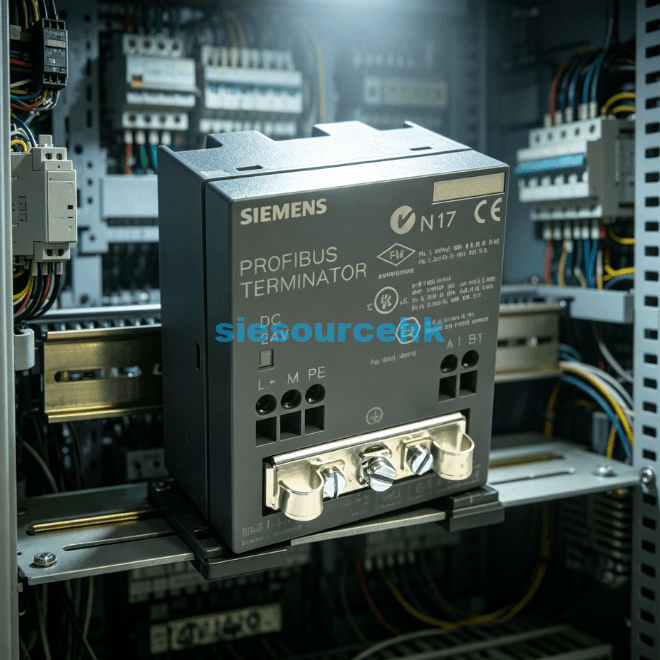
Physical wear is a leading cause of persistent data faults in high-vibration environments. The internal screw terminals can loosen over time, leading to micro-arcs that corrupt digital telegrams. When a Siemens Bus Connector fails due to mechanical stress, it often causes the “SF” LED to trigger on adjacent modules. Replacing the connector is frequently the most cost-effective solution for long-term stability.
Mechanical Integrity and FastConnect Technology
It is essential to use connectors designed for specific environmental demands, such as FastConnect (FC) versions. These units utilize insulation-displacement technology to provide a more vibration-resistant bond than traditional screw terminals. Data shows that FC connectors reduce installation errors by up to 60% compared to manual stripping methods. Reliable connectivity prevents the voltage drops that trigger “Lower-level component” errors in diagnostic buffers.
Furthermore, ensure the cable’s bending radius complies with Siemens technical specifications. Forcing a PROFIBUS cable into a tight 90-degree angle can damage the internal foaming. This damage alters the cable’s characteristic impedance, leading to signal reflections. Recovering from such faults requires cutting back the damaged section and re-terminating with a fresh Siemens Bus Connector to restore the 12 Mbps transmission capability.
Optimization Strategies for Reliable PROFIBUS Networks
To prevent future data faults, you must implement a strict termination policy. Only the first and last physical nodes in a segment should have their termination switches set to “ON.” Activating a middle switch effectively cuts off the rest of the network. This common error results in “Node Not Found” errors for every device downstream of the misplaced terminator.
Environmental Shielding and Port Maintenance
Environmental factors like Variable Frequency Drives often introduce high-frequency noise into the data lines. Using a Siemens Bus Connector with an integrated programming port allows for easy temporary monitoring. However, leaving these ports open without protective covers can invite dust and metallic particles. Contamination inside the D-sub interface can create high-resistance shorts that are difficult to track without specialized tools.
Systematic recovery also involves checking the 5V DC supply provided by the PLC port. This voltage powers the active bias resistors inside the connector. If the CPU port is damaged, the termination will fail even if the switch is in the correct position. In large-scale deployments, adding a RS-485 repeater can rejuvenate weak signals and provide galvanic isolation between segments.
Criteria for Selecting High-Performance Connection Components
Choosing the right hardware is the foundation of a fault-free industrial network. When evaluating components, engineers must consider the specific integration requirements of their existing PLC racks. The decision often hinges on whether the application requires high-speed data throughput or simplified maintenance access.
A critical factor is the mechanical design of the interface. For instance, the Siemens Module 6ES7972-0DA0-0AA0 provides a specialized solution for those needing a diagnostic LED directly on the connector. This feature allows technicians to see bus status without opening a laptop. High-quality connectors must also provide robust strain relief to protect the delicate copper cores from pulling forces.
One should also assess the compatibility with the FastConnect stripping tool system. Standardizing on one connector type reduces the spare parts inventory and ensures that maintenance teams follow a uniform installation protocol. Selecting components with integrated resistors ensures that the electrical balance of the network remains within the ±5% tolerance required for 12 Mbit/s operations.
Summary
Recovering from a Siemens Bus Connector data fault requires a blend of electrical testing, mechanical inspection, and software diagnostics. By validating termination, ensuring proper shielding, and utilizing high-quality components, operators can eliminate intermittent communication errors. Consistent maintenance and the use of diagnostic-ready hardware remain the best defenses against unexpected industrial network failures.
| 6ES7972-0BB60-0XA0 | 6ES7972-0BA60-0XA0 | 6ES7972-0BB50-0XA0 | 6ES7972-4AA02-0XA0 |
| 6ES7972-0BB12-0XA0 | 6ES7972-0CB20-0AX0 | 6ES7972-0BB61-0XA0 | 6ES7972-0BA61-0XA0 |
| 6ES7972-0BB41-0XA0 | 6ES7972-0AC80-0XA0 | 6ES7972-0CB35-0XA0 | 6ES7972-0BA42-0XA0 |
| 6ES7972-0DA0-0AA0 | 6ES7972-0AA02-0XA0 | 6ES7972-0BA41-0XA0 | 6ES7972-0BA50-0XA0 |
| 6ES7972-0BB42-0XA0 | 6ES7972-0BB52-0XA0 | 6ES7972-0CB20-0XA0 | 6ES7972-0AA01-0XA0 |
| 6ES7972-0EM00-0XA0 | 6ES7927-0BA12-0XA0 | 6ES7972-0AB01-0XA0 | 6ES7972-0BB12-0XA1 |
| 6ES7972-0BA52-0XA0 | 6ES7972-0BA12-0XA0 |
FAQ
1. What does a solid red light on a Siemens Bus Connector mean?
A red LED usually indicates a bus fault or power loss. In most cases, it signifies that the connector is not receiving data from the master or the termination switch is incorrectly set.
2. Can I mix different brands of connectors on one Siemens network?
While technically possible, it is not recommended for high-speed networks. Using a consistent Siemens Bus Connector throughout ensures matched impedance and reduces the risk of signal reflections.
3. How often should I inspect my bus connections?
You should perform a visual and electrical check annually. In high-vibration or high-heat environments, bi-annual inspections are necessary to prevent oxidation and loose terminals.
4. Does cable length affect bus connector performance?
Yes, maximum segment length decreases as baud rate increases. At 12 Mbps, a segment is limited to 100 meters, requiring high-quality connectors to maintain signal integrity over the entire distance.
5. How do I test if a Siemens Bus Connector is physically damaged?
Use a multimeter to check for continuity between the D-sub pins and the wire terminals. If any pin shows high resistance or an open circuit, the internal circuitry is likely compromised.
Reference Sources
Siemens Industrial Communication Support