


Blog
Siemens HMI Panels Overview: A Technical Guide to SIMATIC Interfaces


The Human-Machine Interface (HMI) serves as the critical bridge between complex industrial processes and the operators responsible for managing them. In the landscape of industrial automation, Siemens HMI panels, specifically the SIMATIC range, have established themselves as the industry standard for reliability, scalability, and seamless integration.
For engineers and system integrators, selecting the appropriate interface is not merely about screen size. It involves evaluating processing power, communication protocols, environmental resilience, and software compatibility within the Totally Integrated Automation (TIA) Portal.
The Strategic Role of HMI in Modern Automation
Siemens HMI panels are designed to decentralize control and provide real-time visualization of PLC (Programmable Logic Controller) data. Unlike simple push-button stations, these panels offer diagnostic capabilities, trend logging, and alarm management.
In a high-availability manufacturing environment, the HMI is the primary tool for reducing downtime. By utilizing Siemens-specific features like “System Diagnostics,” operators can pinpoint hardware faults in the PLC or I/O modules directly from the HMI screen without needing a programming laptop. This level of transparency is foundational to Industry 4.0 and smart factory initiatives.
Decoding the Siemens HMI Hierarchy: Basic, Comfort, and Unified
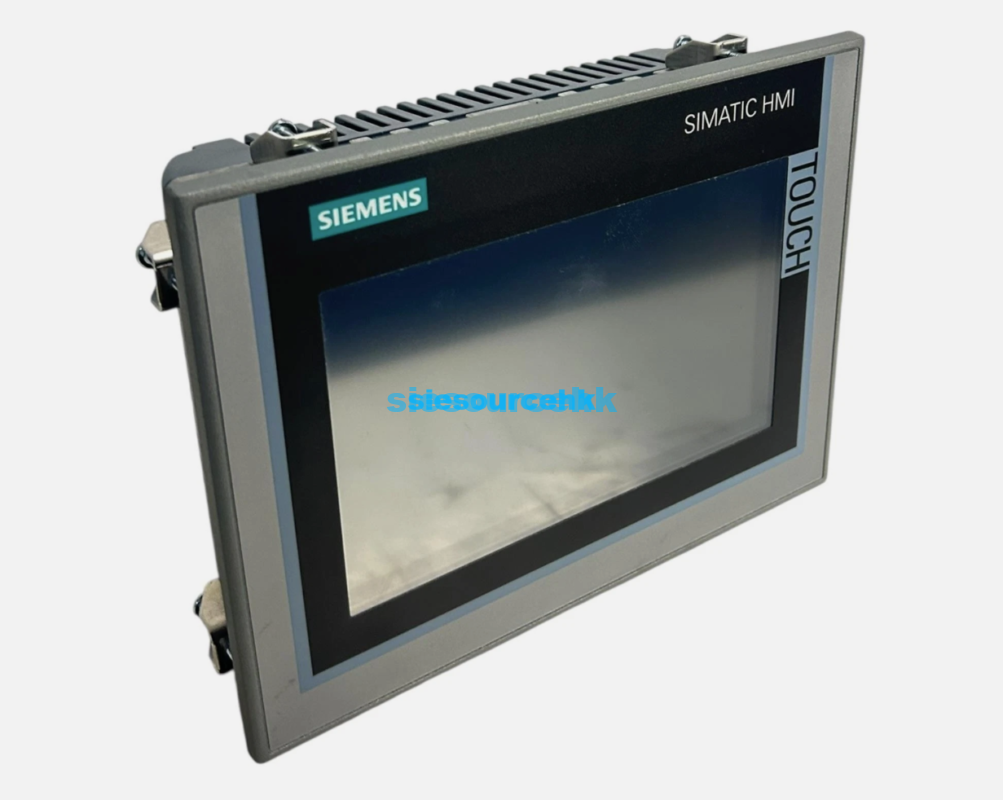
The Siemens SIMATIC HMI portfolio is structured into distinct tiers to balance cost-efficiency with high-performance requirements. Understanding these classifications is essential for proper system architecture.
1. SIMATIC Basic Panels
Designed for simple applications, Basic Panels offer essential HMI functionality at a cost-effective price point. They are typically used in small-scale machines where advanced features like scripts or high-speed archiving are not required.
- Resolution: High-resolution widescreen displays from 4″ to 12″.
- Functionality: Touch and key operation, basic alarming, and recipe management.
- Connectivity: PROFINET interface as standard.
2. SIMATIC Comfort Panels
Comfort Panels are the workhorses of the mid-to-high-end automation sector. They provide high-performance hardware and a broader feature set for demanding visualization tasks.
- Key Features: Integrated media players, PDF viewers, and Internet Explorer.
- Performance: High-speed data logging and scripts (VB Script).
- Security: Integrated UPS functionality to protect data during power failures.
- Special Versions: Includes INOX (stainless steel) for food and beverage and Outdoor panels for high-UV environments.
3. SIMATIC WinCC Unified Comfort Panels
The newest evolution in the Siemens lineup, the Unified Comfort Panels, leverages web-based technologies (HTML5, SVG, and JavaScript). This allows for a consistent UX across the panel and remote mobile devices.
- Technology: Capacitive multi-touch screens, similar to smartphone technology.
- Edge Integration: Ability to run Siemens Industrial Edge apps alongside the visualization.
- Scalability: High flexibility for future-proofing systems through the WinCC Unified software framework.
| Feature | Basic Panels | Comfort Panels | Unified Comfort Panels |
| Display Tech | Resistive Touch | Resistive/Key | Capacitive Multi-touch |
| Scripting | None | VB Script | JavaScript |
| Data Archiving | Limited | Advanced | High-Performance |
| Web Technology | Basic | Standard | Native HTML5 |
| Edge Capability | No | No | Yes |
Technical Architecture and TIA Portal Integration
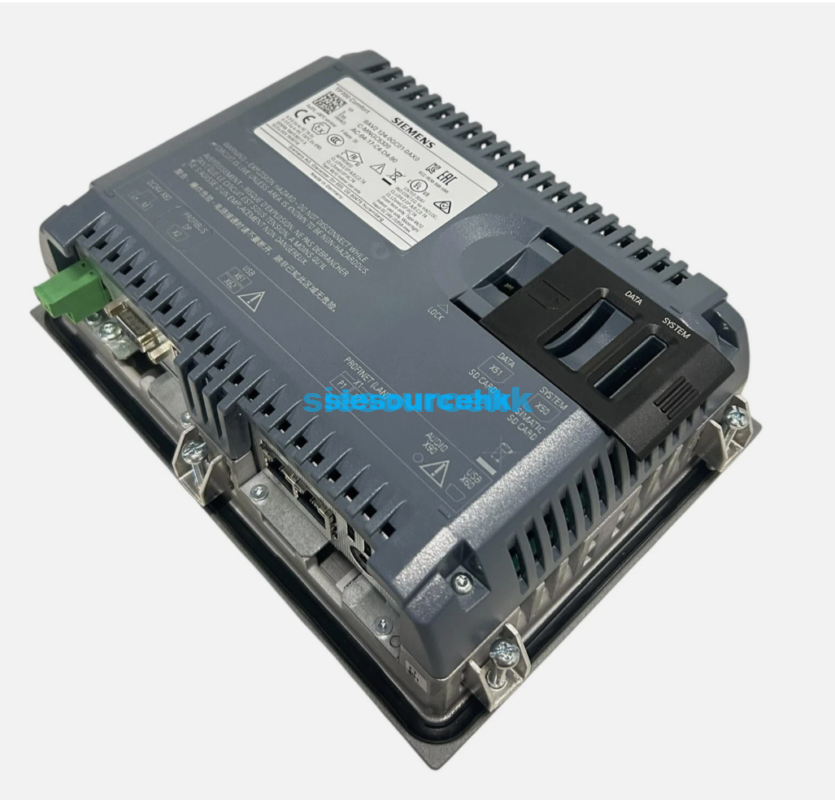
The true power of Siemens HMI panels lies in their integration with the TIA Portal. This unified engineering framework allows for “Global Data Management.” When a variable (tag) is created in a SIMATIC S7-1500 PLC, it is instantly available to the HMI without manual re-addressing.
Communication Protocols
Siemens panels are optimized for PROFINET, the leading industrial Ethernet standard. However, they remain versatile, supporting:
- PROFIBUS DP: For legacy system integration.
- Modbus TCP/RTU: For connecting to third-party PLCs or drives.
- OPC UA Client/Server: Essential for secure, platform-independent data exchange with MES or ERP systems.
Software Engineering with WinCC
The engineering software used—WinCC (TIA Portal)—ranges from “Basic” to “Professional” versions. For engineers, this means that a project created for a 7-inch Basic panel can be easily scaled and migrated to a 15-inch Comfort panel with minimal rework, ensuring long-term design efficiency.
Specialized Hardware for Harsh Environments
Industrial environments often present challenges that consumer-grade electronics cannot withstand. Siemens addresses these through specialized hardware variants found in professional distribution channels like Siesource HK’s HMI category.
- Mobile Panels: Wired or wireless handheld units with integrated safety features like emergency stop buttons and “dead-man” switches. These are ideal for line-of-sight machine setup.
- Key Panels: Designed for high-frequency tactile operations where touchscreens may be impractical due to heavy gloves or extreme debris.
- SIPC (SIMATIC Industrial PCs): For applications requiring massive data processing or PC-based automation, often paired with WinCC Runtime.
Environmental Resilience and Compliance
Siemens HMI panels are engineered for longevity. Key technical specifications often include:
- IP Ratings: Front-side protection up to IP65/IP69K, ensuring resistance against high-pressure washdowns and dust.
- Temperature Range: Operation typically from 0°C to 50°C, with specialized “Outdoor” variants extending this range significantly.
- Certifications: Compliance with CE, UL, cULus, RCM, and KC standards, along with ATEX Zone 2/22 for hazardous environments.
Application Logic: Matching Panel to Process
Choosing the right panel requires an analysis of the “Information Density” required by the operator.
- Discrete Manufacturing: Usually requires Comfort Panels for detailed alarm diagnostics and recipe handling.
- Process Automation: Often utilizes larger screens or PC-based HMIs to display complex P&IDs (Piping and Instrumentation Diagrams).
- OEM Machine Building: Basic Panels are frequently the choice for localized control where the machine performs a repetitive, dedicated task.
In the context of the modern supply chain, sourcing these components requires a focus on authenticity and technical support. Specialized distributors provide the necessary lifecycle support, from initial selection to firmware updates and hardware replacements.
Product Model
6SN1115-0BA11-0AA1 6SN1111-0AB00-0AA0 6SN1161-1CA00-0DA0 6SN1161-1CA00-0BA0
————————————————————————————————————————————————————————————
6SN1161-1CA00-0AA0 71216SN1GL00N0C111P3 6SN1114-0NB01-0AA1 6SN1118-0AE11-0AA1
————————————————————————————————————————————————————————————
6SN1113-1AA00-0DA0 6SN1113-1AB01-0BA1 6SN1118-0AA11-0AA1 6SN1111-0AA00-0BA1
————————————————————————————————————————————————————————————
6SN1123-1AA00-0CA0 6SN1162-0BA02-0AA2 6SN1162-1AA00-0AA0 6SN1146-1AB00-0BA1
————————————————————————————————————————————————————————————
6SN1118-0NK01-0AA1 6SN1123-1AA00-0CA1 6SN1123-1AB00-0AA2 6SN1123-1AB00-0AA1
————————————————————————————————————————————————————————————
6SN1123-1AB00-0BA1 6SN1123-1AA00-0AA2 6SN1123-1AB00-0HA2 6SN1118-0NH01-0AA1
————————————————————————————————————————————————————————————
6SN1124-1AA00-0BA1 6SN1123-1AA00-0НА1 6SN1123-1AA00-0HA1 6SN1123-1AB00-0BA2
————————————————————————————————————————————————————————————
6SN1123-1AA00-0CA2 6SN1123-1AA00-0BA2 6SN1123-1AB00-0CA3 6SN1112-1AC01-0AA1
————————————————————————————————————————————————————————————
6SN1123-1AA00-0BA1 6SN1118-ODM11-0AA1 6SN1118-1NH01-0AA1 6SN1118-0DM33-0AA1
————————————————————————————————————————————————————————————
6SN1118-0DJ21-0AA2 6SN1118-0DM33-0AA2 6SN1111-0AA01-2CA0 6SN1118-0DM31-0AA1
————————————————————————————————————————————————————————————
6SN1123-1AA00-0BA0 6SN1118-0DG21-0AA1 6SN1118-0DJ23-0AA1 6SN1118-1NJ01-0AA0
————————————————————————————————————————————————————————————
6SN1123-1AA00-0DA0 6SN1123-1AA00-0DA2 6SN1123-1AB00-0CA2 6SN1118-0DG23-0AA0
————————————————————————————————————————————————————————————
6SN1118-0DM31-0AA2 6SN1123-1AA00-0DA1 6SN1123-1AB00-BAA1 6SN1145-1BA01-0BA1
————————————————————————————————————————————————————————————
6SN1124-1AA00-0DA1 6SN1118-0DM33-0AA0 6SN1111-0AA00-0CA1 6SN1145-1AA01-0AA1
————————————————————————————————————————————————————————————
6SN1124-1AA00-0DA2 6SNIL18-0DM33-0AA1 6SN1118-0DG23-0AA1 6SN1123-1AB00-0CA0
————————————————————————————————————————————————————————————
6SN1145-1AA01-0AA2 6SN1118-0DJ23-0AA0 6SN1118-0DH21-0AA1 6SN1118-0DM23-0AA0
————————————————————————————————————————————————————————————
6SN1123-1AB00-0CA1 6SN1111-0AA01-2DA0 6SN1145-1AA01-0AA0 6SN1113-1AA00-1JA1
————————————————————————————————————————————————————————————
6SN1118-0DJ23-0AA2 6SN1118-0DH23-0AA0 6sn1118-0dk23-0aa2 6SN1118-0DK23-0AA0
————————————————————————————————————————————————————————————
6SN1121-0BA11-0AA1 6SN1123-1AA00-0LA3 6SN1111-0AA01-0DA0 6SN1123-1AA00-0LA1
————————————————————————————————————————————————————————————
6SN1118-0DH23-0AA1 6SN1123-1AA00-0LA2 6SN1115-0BA11-0AA0 6SN1123-1AA00-0EA1
————————————————————————————————————————————————————————————
6SN1227-2ED10-0HA0 6SN1124-1AA00-0LA1 6SN1145-1AA00-0CA0 6SN1145-1BA02-0CA2
————————————————————————————————————————————————————————————
6SN1145-1BA02-0CA1 6SN1123-1AA01-0FA1 6SN1123-1AA00-0FA1 6SN1145–1BA02-0CA1
————————————————————————————————————————————————————————————
6SN1145-1BA00-0CA0 6SN1112-1AB00-0CA0 6SN1145-1BA00-0CA1 6SN1113-1AA00-1KC1
————————————————————————————————————————————————————————————
6SN1145-1BA01-0DA1 6SN1146-1BB00-0DA1 6SN1123-1AA00-0JA1 6SN1123-1AA00-0KA1
————————————————————————————————————————————————————————————
6SN1145-1BBO0-0EA1 6SN1124-1AA00-0JA1 6SN1146-1BB00-0EA1 6SN1145-1BB00-0FA1
————————————————————————————————————————————————————————————
6SN2132-1DE11-1BA1 6SN2132-1CK11-1BA1 6SN1145-1BB00-0FA0 6SN1145-1BB00-0AF0
————————————————————————————————————————————————————————————
FAQ
1. What is the main difference between a Basic and a Comfort panel?
Basic panels are designed for simple HMI tasks with limited connectivity and no scripting capabilities. Comfort panels offer higher performance, support for VB scripts, integrated system diagnostics, and multiple communication interfaces including a PROFIBUS port and an integrated switch.
2. Can I use a Siemens HMI panel with a non-Siemens PLC?
Yes. While optimized for SIMATIC PLCs, Siemens HMI panels support various drivers including Modbus TCP, Allen-Bradley (EtherNet/IP), and Mitsubishi (MC Protocol), as well as universal standards like OPC UA.
3. What is WinCC Unified?
WinCC Unified is the latest visualization system from Siemens. It is based on web technologies like HTML5 and JavaScript. It allows the same visualization to run on the HMI hardware, a PC, or a mobile device via a web browser.
4. How do I protect an HMI screen in a food processing environment?
For these applications, you should use the SIMATIC HMI INOX variants. These feature stainless steel fronts, are easy to clean, and meet the high hygiene requirements of the food, beverage, and pharmaceutical industries (often with IP69K protection).
5. Is the TIA Portal required for all Siemens HMI panels?
Modern SIMATIC panels (Basic, Comfort, Unified) are programmed using WinCC within the TIA Portal. Older legacy panels used WinCC flexible, but these are largely phased out in favor of the integrated TIA environment.
Reference Sources
- Siemens Industry Online Support (SIOS): Official technical documentation and manuals for SIMATIC HMI. support.industry.siemens.com
- IEC 61131-3 Standard: International standard for programmable controllers, relevant to HMI/PLC communication logic.
- PROFINET International (PI): Technical specifications for PROFINET communication used in Siemens automation. profibus.com
- IP Code (IEC 60529): Standards for degrees of protection provided by enclosures.