


Blog
Best Siemens HMI Panels for Your Project

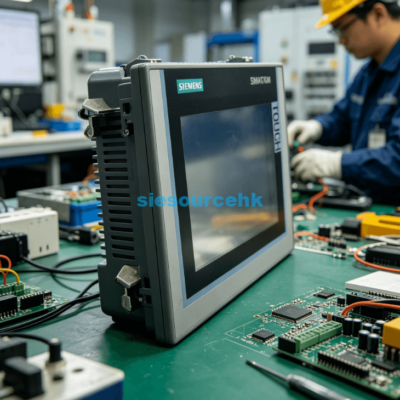
Industrial automation environments in 2026 require robust and intuitive interfaces for seamless operation. Choosing the right Siemens HMI panels is a cornerstone of modern factory efficiency. These devices do more than just display process values. They act as the primary communication bridge between human operators and complex machine logic. A well-selected panel enhances productivity and reduces the risk of operational errors.
Selecting hardware from the vast Siemens portfolio requires a deep understanding of project needs. Every industrial application has unique requirements for resolution, processing power, and environmental resistance. Engineers must evaluate how data flows from the PLC to the screen. Modern manufacturing landscapes demand high-speed data refreshes and crystal-clear visualization. Siemens HMI panels consistently deliver these capabilities across diverse industrial sectors globally.
The integration of smart technology has transformed how we view human-machine interfaces today. In 2026, these panels serve as edge devices capable of complex data processing. They provide real-time analytics directly at the machine level. This capability allows for faster decision-making without relying solely on centralized servers. Siemens continues to lead this market by offering scalable solutions for every budget.
What are the best Siemens HMI panels for industrial projects?
The Siemens range is divided into specific tiers to meet different performance demands. The SIMATIC HMI Basic Panels are the entry-level solution for simple applications. They focus on essential functions like alarm management and recipe handling. These panels are ideal for compact machines where cost is a primary concern. Despite their “Basic” name, they offer high graphical quality and proven reliability.
Moving up the hierarchy, the SIMATIC HMI Comfort Panels represent the standard for high-end applications. These panels are designed for demanding tasks that require sophisticated visualization. They feature high-resolution displays and multiple communication interfaces for complex networking. Most Siemens HMI panels in the Comfort range support complex scripting and historical data logging. They are widely used in the automotive and pharmaceutical industries.
The cutting-edge option in 2026 is the SIMATIC HMI Unified Comfort Panel series. These devices utilize the latest WinCC Unified software platform for maximum flexibility. They offer multi-touch screens similar to modern smartphones but with industrial-grade durability. Unified panels allow for the integration of custom apps and web-based technologies. They represent the future of industrial visualization in the era of Industry 4.0.
Why is the Unified Comfort series trending in 2026?
The Unified Comfort series offers unprecedented scalability for modern automation systems. These panels use HTML5 technology to provide a consistent user experience across different devices. Operators can access the same screen layout on the panel, a tablet, or a workstation. This flexibility is essential for the decentralized work environments seen in 2026. Siemens HMI panels have never been more adaptable to mobile monitoring requirements.
Performance benchmarks show that Unified panels handle complex graphics 50% faster than previous generations. This speed is critical for high-speed packaging or precision manufacturing lines. The hardware supports integrated Edge functionality for local data analysis and filtering. This reduces the bandwidth load on factory networks and improves system security. Choosing Unified panels ensures your project remains compatible with upcoming software innovations.
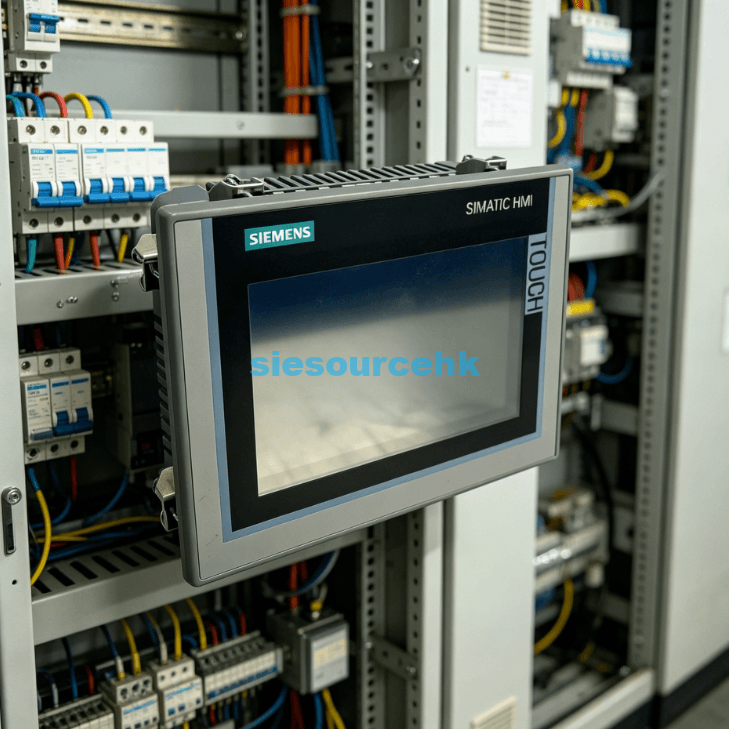
Key features and technical performance of Siemens HMI panels
Technical specifications define the true value of an HMI in a factory setting. Screen resolution is a primary factor for operator clarity and situational awareness. Most Siemens HMI panels feature widescreen displays to offer 40% more viewing area. This extra space allows for more detailed diagnostics and status indicators. High-contrast ratios ensure visibility even in poorly lit or overly bright environments.
Connectivity remains a vital technical consideration for any automation project. Siemens panels come equipped with integrated PROFINET ports for high-speed PLC communication. Many models also include secondary ports for separate office or cloud networks. This physical separation enhances cybersecurity by isolating the control network. Siemens HMI panels also support legacy protocols like PROFIBUS for older system upgrades.
| Panel Series | Typical Screen Size | Memory Capacity | Protection Rating |
|---|---|---|---|
| Basic KTP | 4″ to 12″ | 10 MB | IP65 (Front) |
| Comfort TP | 7″ to 22″ | 24 MB | IP65 (Front) |
| Unified Comfort | 7″ to 22″ | 50 MB+ | IP65 (Front) |
Data security has become a non-negotiable feature in the 2026 industrial landscape. Siemens hardware includes built-in encryption and advanced user authentication protocols. These features prevent unauthorized changes to machine parameters or recipes. Audit trails help companies comply with strict industry regulations and safety standards. Reliability is further supported by non-volatile memory that protects data during power failures.
How does the TIA Portal improve HMI engineering?
The Totally Integrated Automation (TIA) Portal is the secret weapon for Siemens users. It provides a unified engineering environment for PLCs, drives, and HMI hardware. This software integration eliminates the need for redundant data entry across different platforms. Engineers can share tags between the controller and the panel with a simple drag-and-drop. Siemens HMI panels are specifically optimized to leverage this shared database.
Simulation tools within the TIA Portal allow for thorough testing before physical deployment. You can verify screen navigation and alarm logic on a PC without the hardware. This reduces commissioning time by approximately 25% on average projects. The software also supports multiple languages for global machine exports. Using TIA Portal with Siemens HMI panels ensures a highly professional and error-free development cycle.
How to choose the right Siemens HMI hardware for your environment?
Environmental conditions play a massive role in hardware longevity and reliability. Factories with high humidity or chemical exposure require specialized protection. Many Siemens HMI panels feature chemically resistant fronts and IP65 protection. This ensures that cleaning agents or oil splashes do not damage the sensitive electronics. Always verify the chemical compatibility of the panel front before installation.
Extreme temperatures can also cause standard consumer screens to fail prematurely. Siemens designs its industrial panels to operate in temperatures up to 50°C without active cooling. Some specialized models can even handle sub-zero environments or direct sunlight. The backlight life is another critical metric to consider for 24/7 operations. Most Comfort panels offer a backlight life of 80,000 hours in 2026.
Mechanical stress and vibration are common in heavy industrial applications. Standard Siemens HMI panels are tested for high vibration and shock resistance. This makes them suitable for mounting directly on machines or moving parts. For hygiene-sensitive areas, Siemens offers stainless steel versions with no gaps or crevices. These “Inox” panels are essential for the food, beverage, and dairy industries.
What are the power requirements for these panels?
Most industrial panels operate on a standard 24V DC power supply. This is consistent across the Basic, Comfort, and Unified product ranges. Efficient power consumption is a hallmark of Siemens hardware design. A typical 7-inch panel consumes less than 20 watts during peak operation. Low power draw reduces heat generation within the control cabinet.
Maintaining a stable power supply is critical for preventing data corruption. Siemens recommends using buffered power supplies to handle momentary voltage drops. Integrated maintenance-free capacitors in many models provide enough power for a safe shutdown. This feature protects the internal operating system and user projects. Always use high-quality cables to minimize electromagnetic interference on the power lines.
Strategic integration and platform selection
Determining the right hardware for a project is often about long-term support. A panel might look good on paper but fail to meet future expansion needs. You must evaluate the number of tags and screen objects your process requires. Large-scale plants often benefit from standardized hardware to simplify spare parts management. You can find a comprehensive range of Siemens HMI panels to match these specific enterprise standards.
Selecting a panel involves more than just picking a screen size. You must consider the ease of mounting and the ergonomic needs of the operator. Some environments favor touch-only interfaces for a sleek and modern look. Other high-vibration areas might require panels with physical function keys for tactile feedback. Siemens provides both options across many of their popular screen sizes. This variety ensures that every operator has the best possible tool for their job.
The decision to choose a specific series should also align with your software expertise. If your team is comfortable with classic WinCC, Comfort Panels remain a solid choice. If you are moving toward web-based architectures, the Unified series is the logical path. Investing in the right series now prevents costly hardware migrations in the future. Siemens HMI panels offer a clear upgrade path as your automation needs evolve over time.
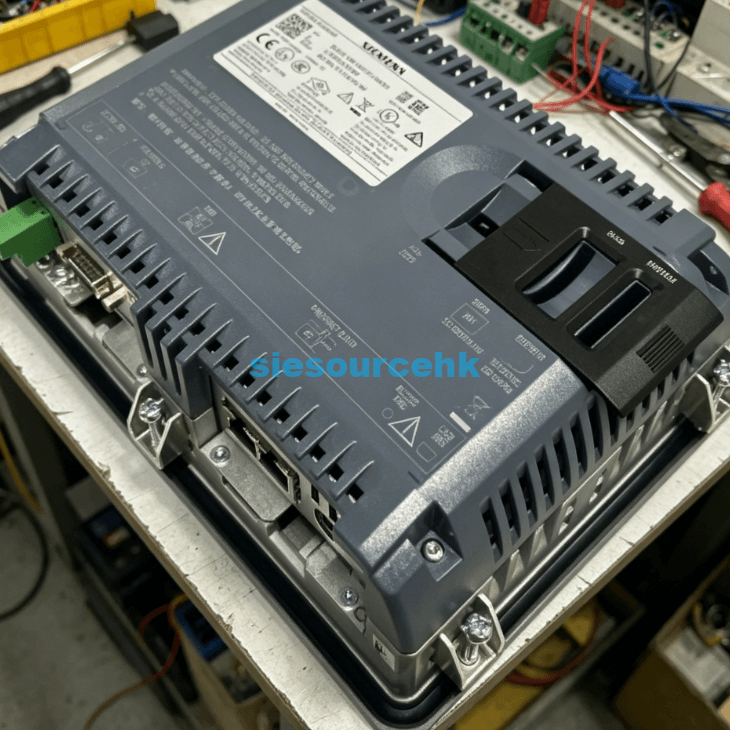
Summary
The best Siemens HMI panels for your project depend on a balance of functionality and environment. Basic panels suit small tasks, while Comfort and Unified series handle high-complexity systems. By prioritizing connectivity, durability, and software integration, you ensure a reliable and efficient interface for your 2026 industrial automation needs.
PRO TIP
When designing your HMI project, always leave 20% of the screen area and memory unused. This “overhead” allows for future updates or additional diagnostic screens without upgrading the hardware. It is much cheaper to plan for growth now than to replace a panel later in the project lifecycle.
| 6AV7241-5GC45-2GA0 | 6AV6647-0AD11-3AX0 | 6AV6641-0AA11-0AX0 | 6AV6647-0AD11-3AX0 |
| 6AV6641-0AA11-0AX0 | 6AV7875-0AE50-1BC0 | 6AV3607-1JC20-0AX1 | 6AV7875-0AE50-1BC0 |
| 6AV3607-1JC20-0AX1 | 6AV2123-2GB03-0AX0 | 6AV2124-1DC01-0AX0 | 6AV2123-2GB03-0AX0 |
| 6AV2124-1DC01-0AX0 | 6AV7241-1BA34-0JA0 | 6AV6648-0BC11-3AX0 | 6AV7241-1BA34-0JA0 |
| 6AV6648-0BC11-3AX0 | 6AV7241-3BB07-0DA0 | 6AV6646-1BA15-0NA0 | 6AV7241-3BB07-0DA0 |
| 6AV6646-1BA15-0NA0 | 6AV6647-0AA11-3AX0 | 6AV2181-5AG80-0AX0 | 6AV6647-0AA11-3AX0 |
| 6AV2181-5AG80-0AX0 | 6AV6542-0AC15-2AX0 | 6AV3637-1LL00-0AX1 | 6AV6542-0AC15-2AX0 |
| 6AV3637-1LL00-0AX1 | 6AV6881-0AP40-0AA0 | 6AV6371-1DQ10-0BX0 | 6AV6881-0AP40-0AA0 |
| 6AV6371-1DQ10-0BX0 | 6AV2124-6MJ00-0AX0 | 6AV6371-1CA08-1AX0 | 6AV2124-6MJ00-0AX0 |
| 6AV6371-1CA08-1AX0 | 6AV6647-0AG11-3AX0 | 6AV6381-2BQ08-1AX0 | 6AV6647-0AG11-3AX0 |
| 6AV6381-2BQ08-1AX0 | 6AV6647-0AH11-3AX0 | 6AV3627-1LK00-1AX0 | 6AV6647-0AH11-3AX0 |
| 6AV3627-1LK00-1AX0 | 6AV2123-2JB03-0AX0 | 6AV6648-0DE11-3AX0 | 6AV2123-2JB03-0AX0 |
| 6AV6648-0DE11-3AX0 | 6AV3535-1FA01-1AX1 | 6AV6371-1CA08-0AX0 | 6AV3535-1FA01-1AX1 |
| 6AV6371-1CA08-0AX0 | 6AV2128-3GB06-0AX1 | 6AV6381-2CA08-0AX0 | 6AV2128-3GB06-0AX1 |
| 6AV6381-2CA08-0AX0 | 6AV6648-0EE11-3AX0 | 6AV7240-5DB06-0HA0 | 6AV6648-0EE11-3AX0 |
| 6AV7240-5DB06-0HA0 | 6AV2124-0GC01-0AX0 | 6AV2181-5AF05-0AX0 | 6AV2124-0GC01-0AX0 |
| 6AV2181-5AF05-0AX0 | 6AV7241-5GC45-2GA0 | 6AV2125-2GB03-0AX0 | 6AV2125-2GB03-0AX0 |
FAQ
1. What is the main difference between Basic and Comfort panels?
Basic panels are for simple tasks with fewer tags and no scripting. Comfort panels support high-end features like advanced archiving, scripts, and multi-protocol communication. Comfort models also have much higher display resolutions and better color depth for complex graphics.
2. Are Siemens HMI panels compatible with third-party PLCs?
Siemens panels natively support drivers for many major PLC brands like Allen-Bradley and Modbus. This allows you to use high-quality Siemens displays even if you use different control hardware. However, the fastest performance is always achieved when pairing them with SIMATIC controllers.
3. How long do Siemens HMI panels typically last in a factory?
These panels are designed for a service life of 10 years or more under standard conditions. The backlight usually lasts for 80,000 hours, which is nearly a decade of continuous use. Proper cabinet cooling and protection from direct impacts can further extend this lifespan significantly.
4. What software is required to program these panels in 2026?
The TIA Portal is the standard engineering software for all current Siemens HMI hardware. You will need WinCC Basic for Basic panels and WinCC Comfort for the Comfort series. The new Unified panels require WinCC Unified, which offers advanced web and scripting capabilities.
Reference Sources
Siemens AG: SIMATIC HMI Panels Product Overview and Technical Data
TIA Selection Tool: Siemens Configuration and Engineering Support
IEEE Xplore: Research on Industrial Display Durability and Performance