


Blog
What Is Allen-Bradley Operator Interface HMI 2711P? Core Advantages for Factory Automation

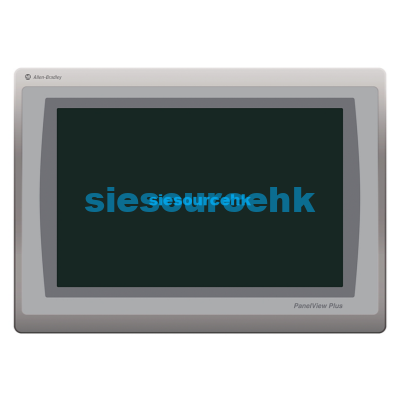
In modern industrial environments, automated control systems require robust human-machine interfaces to bridge plant machinery with operator decisions. The Allen-Bradley Operator Interface HMI 2711P, commonly known as the PanelView Plus series, represents the industry standard for high-performance visual terminal workstations. Designed by Rockwell Automation, these devices excel in harsh plant conditions where reliable machinery communication is critical to production line uptime.
What Is the Allen-Bradley Operator Interface HMI 2711P?
The Allen-Bradley Operator Interface HMI 2711P is an industrial-grade workstation designed to display interactive graphics for complex machinery control. It functions as a dedicated hardware terminal running Rockwell FactoryTalk View Machine Edition software for localized application control. This platform simplifies communication between shop-floor operators and programmable logic controllers (PLCs) across the entire factory floor.
Unlike standard commercial tablets, this specialized hardware is engineered for continuous 24/7 operations under high thermal and mechanical stress. It withstands dust, moisture, extreme vibration, and heavy electromagnetic interference common in power-dense plant environments. Engineers select this terminal to replace traditional physical pushbuttons and hardwired pilot lights with a single, highly flexible digital control point.
System designers can deploy these units in diverse mounting configurations, including standard control panel doors or custom swing-arm enclosures on the floor. The rugged design ensures critical control pathways remain active, preventing costly unscheduled machine downtime on critical production lines. By integrating visualization directly with controllers, it streamlines diagnostic tasks and speeds up fault recovery on the line.
Core Technical Specifications and Hardware Architecture
The hardware architecture of the Allen-Bradley Operator Interface HMI 2711P features modular components that allow field replacement of display modules and logic cards. Displays range from compact 4-inch screens up to high-resolution 15-inch active-matrix TFT screens for high-density dashboards. These terminals offer both analog-resistive touchscreens and physical keypad entry configurations to accommodate operators wearing heavy safety gloves.
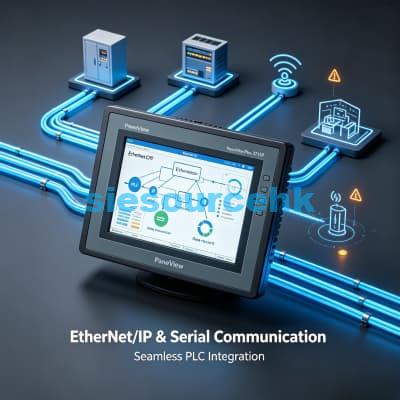
Communication capabilities are a major differentiator for this line, offering natively integrated EtherNet/IP interfaces alongside legacy serial ports. This dual-network architecture enables simultaneous messaging to programmable controllers and remote data logging systems. The logic module contains expandable flash memory and high-speed processors capable of rendering complex vector graphics without lag.
The following table compares the physical and electrical specifications of the popular PanelView Plus families in this operator interface lineup:
| Specification Metric | PanelView Plus 6 (2711P-6) | PanelView Plus 7 Standard (2711P-7) |
|---|---|---|
| Screen Sizes | 4-inch to 15-inch color TFT active matrix | 4-inch to 15-inch widescreen color TFT |
| Input Types Available | Analog resistive touch or physical keypad | Analog resistive touch only |
| Native Communication | Ethernet, RS-232, modular network card option | Single or dual EtherNet/IP ports with DLR |
| Operating Temperature | 0°C to 55°C (32°F to 131°F) | 0°C to 55°C (32°F to 131°F) |
| Ingress Certification | NEMA 4X, IP66, Class I Div 2 | NEMA 4X, IP66, ATEX Zone 2/22, UL listed |
Key Advantages of the PanelView Plus 2711P in Factory Automation
Deploying the Allen-Bradley Operator Interface HMI 2711P delivers significant structural benefits to modern manufacturing cells. First, the unit supports seamless integration with Logix-based controllers, eliminating the need to manually export and map tag databases. This direct database integration cuts engineering commissioning hours during system integration projects by up to forty percent.
Second, the rugged housing satisfies stringent environmental standards, which are essential for food, chemical, or pharmaceutical processes. The front bezel carries a NEMA 4X and IP66 rating, meaning it resists pressurized water washdowns and aggressive cleaning agents. Such resistance prevents moisture ingress from short-circuiting internal processor boards during daily plant sanitation routines.
Third, the hardware is certified for Class I, Division 2 hazardous locations, making it suitable for petrochemical and paint booth operations. The display remains legible in wide temperature fluctuations, preventing screen fogging or liquid crystal slow-downs in refrigerated facilities. Plant managers also utilize the dual-Ethernet ports to establish device-level ring (DLR) topologies for maximum network fault tolerance.
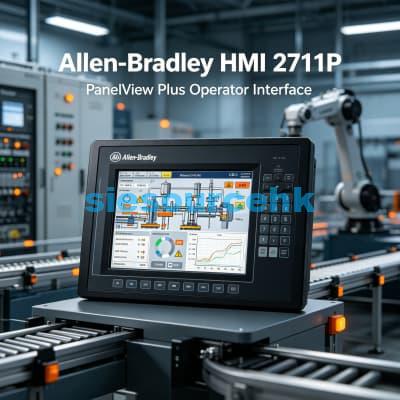
Industrial Application Scenarios and Floor Suitability
On modern automotive assembly lines, operators use the Allen-Bradley Operator Interface HMI 2711P to monitor multi-stage robotic welding cells. The high-contrast TFT display enables workers to quickly spot safety interlock faults and cycle time bottlenecks from several meters away. In these environments, tactile keypad options prevent false touch inputs caused by weld sparks or metallic dust.
In water and wastewater treatment plants, these terminals are often mounted in remote, unheated pump stations. The extended operating temperature range of 0°C to 55°C ensures reliable startup and operation without auxiliary cabinet heaters. The HMI displays real-time flow trends and tank levels, sending alarm telemetry over secure radio networks to central municipal control rooms.
For high-speed packaging machinery, food and beverage OEMs require fast screen refresh rates to keep pace with dynamic bottling lines. The internal graphic coprocessor manages high-frequency display updates smoothly, tracking thousands of packages per minute. To explore these options or source replacement units, operators can browse the catalog of industrial Allen-Bradley HMI PanelView modules (https://siesourcehk.com/product-category/allen-bradley-rockwell/hmi-panelview/) to match specific automated requirements.
Optimizing Long-Term Reliability and Preventative Maintenance
Extending the operational lifespan of your Allen-Bradley Operator Interface HMI 2711P requires a structured preventive maintenance schedule. The backlight components represent the primary wear-and-tear point, so configuring display-sleep timers is highly recommended. System administrators can set screen dimming intervals via the terminal’s system menu to preserve liquid crystal efficiency.
Periodic backup of configuration files to external secure SD cards prevents long recovery delays if a hardware failure occurs. The modular design of the PanelView system allows operators to swap damaged touch screen bezels in minutes on the floor. This modularity means facility engineers can replace specific physical subcomponents rather than purchasing entire new terminals.
Cleaning protocols must exclude harsh abrasive powders or solvents that erode the protective polyester film layer. Instead, use a mild non-abrasive screen cleaner applied to a soft microfiber cloth to prevent surface scratches. Standardizing these basic operations protects the sensitive analog resistive touch grid from localized dead-spots over years of heavy shift work.
Product Model
| 2711P-T12W22D9P | 2711P-T15C21D85 | 2711P-T10C22D8S | 2711P-RDT15C |
| 2711P-RDB15C | 2711P-K6M20A8 | 2711P-T10C4D9 | 2711P-T7C21D8S |
| 2711P-T12W21D8S | 2711P-T19C22D9P | 2711P-RDT10C | 2711P-B15C6A1 |
| 2711P-RW2 | 2711P-B7C4A9 | 2711P-RDB7C | 2711P-RDB7CD |
| 2711P-RP2 | 2711P-T7C22D9P | 2711P-RP9D | 2711P-T12W22D9P-BSHK |
| 2711P-T7C22D9P-B | 2711P-RP1 | 2711P-K7C4D8 | 2711P-T15C22D9P |
| 2711P-T6M5A8 | 2711P-RN6 | 2711P-T10C21D8S | 2711P-B7C22D9P |
| 2711P-T7C4D8 | 2711P-RMCP | 2711P-T7C4D9 | 2711P-T6C21D8S |
| 2711P-T10C22D9P | 2711P-T10C4D1 | 2711P-T7C22D8S-B | 2711P-T10C4D8 |
| 2711P-RP8D | 2711P-RP8A | 2711P-B15C22D9P | 2711P-RAAT15 |
| 2711P-T6C20D8 | 2711P-T7C4D2TP | 2711P-T15C4D2TP | 2711P-T4W22D8S |
| 2711P-T4W21D8S | 2711P-T15C21D8S | 2711P-T15C4D8TP | 2711P-T15C15D2 |
| 2711P-T10C4D2 | 2711p-RP2DTP | 2711P-K4M3D | 2711P-T10C4A2 |
| 2711P-B6C20A | 2711P-T7C21D8 | 2711P-B4C20A8 | 2711P-T6C20D |
| 2711P-RP7 | 2711P-RN15S | 2711P-K4M20D8 | 2711P-T12C4A2 |
| 2711P-T15C4D1 | 2711P-T10C4A8 | 2711P-T15C4D8 | 2711P-T6C22D8S |
| 2711P-T12W22D8S | 2711P-T15C22D9P-B | 2711P-RP8DTP | 2711P-B10C4A8 |
| 2711P-T9W22D9P | 2711P-T7C4D8K | 2711p-t12c4d8 | 2711P- T19C22D9P |
| 2711P-T10C4D6 | 2711P-B7C4D8 | 2711P-T7C4A8 | 2711P-RDB12C |
| 2711P- RN6 | 2711P-T7C4D8TP | 2711P-B15C4D9-1 | 2711P-RP2-1 |
| 2711P-T12C4AS | 711P-T7C4D7 | 2711P-RBT10 | 2711P-T15C4A2 |
| 2711p-k6m20d8 | 2711P-T15C4A2K | 2711P-EN2TR | T12C4D8 |
| 2711P-T6C20D8 ser A | 2711P-TSC20D8 Ser. A | 2711P-TSC20D8 | 2711P-RN22C |
| 2711P-RDT7C | 2711P-T12W22D9 | 2711P-T6C20A8 | 2711P-B10C22D9P |
| 2711P-T12C21D8S | 2711P-T12C4D1 | 2711P-T6C5A | 2711P-T6C5A8 |
| 2711P-T6M20D | 2711P-RGT7SP | 2711P-RGT10SP | 2711P-RMCS |
| 2711P-RDB10C |
Frequently Asked Questions
What is the primary difference between touch and keypad versions of the Allen-Bradley Operator Interface HMI 2711P?
Touch terminals (suffix T) use an analog-resistive touch surface that is ideal for intuitive swipe and press actions. Keypad terminals (suffix K) provide physical, high-feedback buttons, which are preferred in heavy-manufacturing environments where operators wear thick leather or chemical-resistant gloves.
How does the operating temperature limit affect the placement of the PanelView Plus terminal?
The Allen-Bradley Operator Interface HMI 2711P has a rated operating temperature of 0°C to 55°C (32°F to 131°F). In colder environments like refrigerated food lockers, or hotter environments like steel mills, the HMI must be placed in a climate-controlled enclosure with auxiliary heaters or cooling fans to maintain reliable liquid crystal operation.
Can I replace a damaged screen on the Allen-Bradley Operator Interface HMI 2711P without replacing the entire HMI?
Yes. The modular design of the PanelView Plus series allows the display module to be detached from the logic module. If the touch screen is cracked or the backlight fails, you can order a replacement display module and install it onto your existing logic module on the factory floor, significantly reducing repair costs.
What communication protocols are supported out of the box?
The terminals natively support EtherNet/IP and RS-232 serial communication. Depending on the model and installed expansion modules, you can also connect to legacy networks such as DeviceNet, ControlNet, and DH+ (Data Highway Plus), protecting your existing automation infrastructure investment.
Reference Sources
Rockwell Automation Technical Documentation (Literature Library): – Official user manuals, installation guides, and specifications for the PanelView Plus operator interface terminals.
: – Direct manual containing wiring schematics, installation procedures, and temperature tolerances for the 2711P series.